HIRD One documentation
Every module, in the order you'd actually use them, with real screenshots from a live workspace. New here? Start with the Getting Started Guide instead — this page is a reference for what each module does.
Getting started
Dashboard
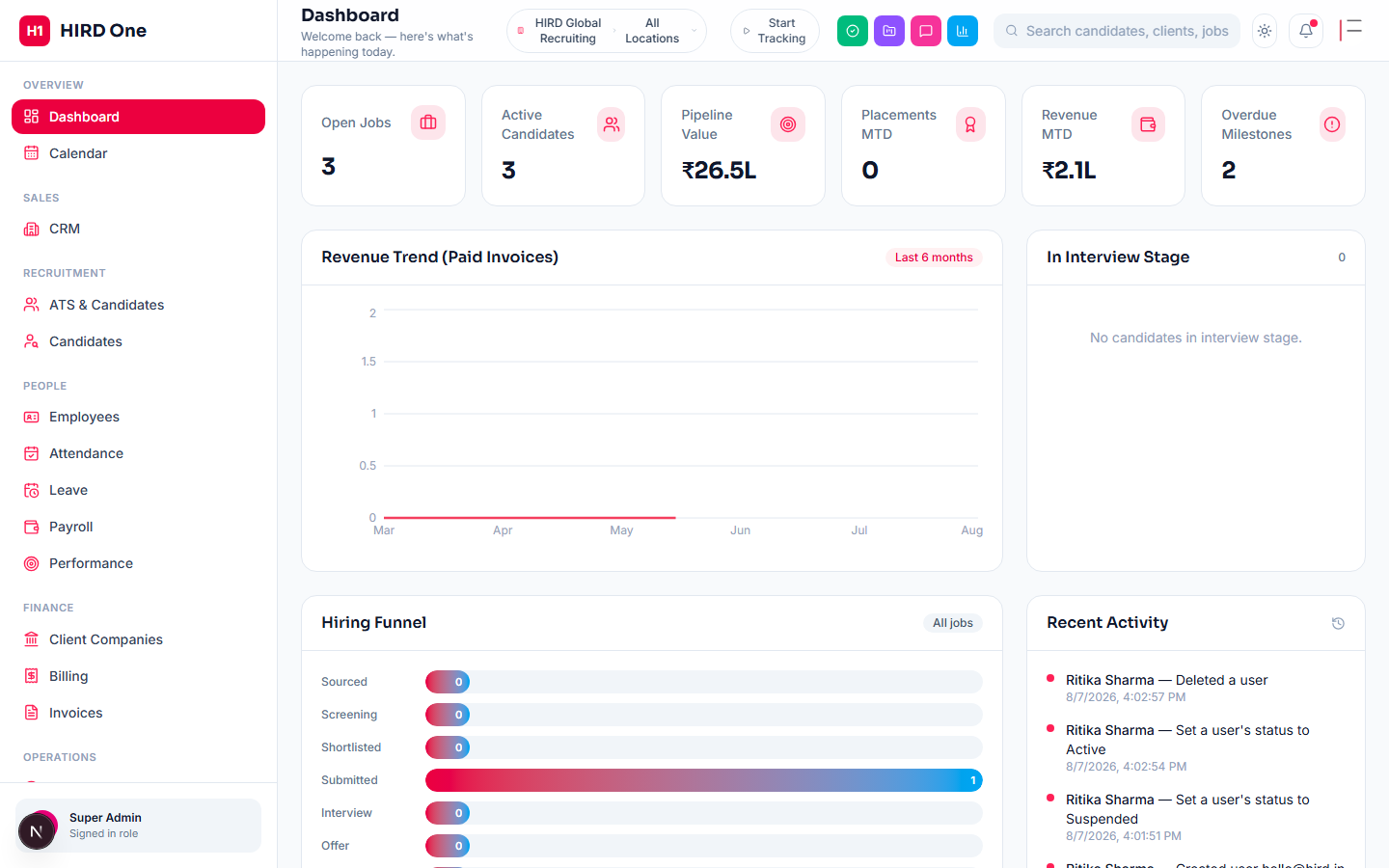
The first thing you see after signing in — a snapshot of what needs your attention today: open jobs, candidates moving through the pipeline, pending approvals, and upcoming birthdays or renewals. Every widget links straight into the module it summarizes.
Getting started
Guided tour
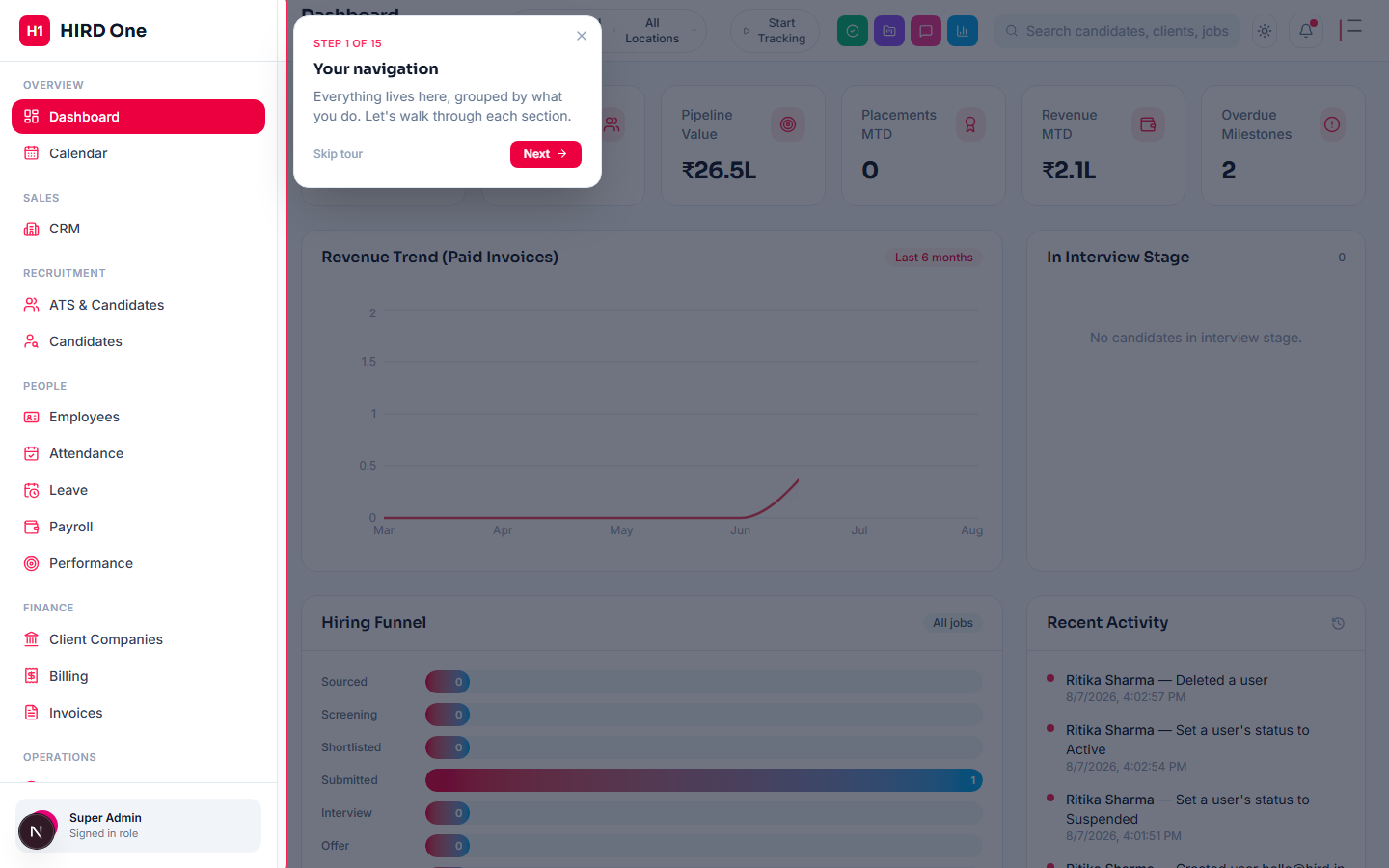
Shown once, automatically, the first time a new user reaches the dashboard. It walks through every sidebar section your role can see, plus the search bar, notifications, quick actions and account menu. Skip is always available, and it can be replayed anytime from Settings → "Restart tour".
Sales
CRM
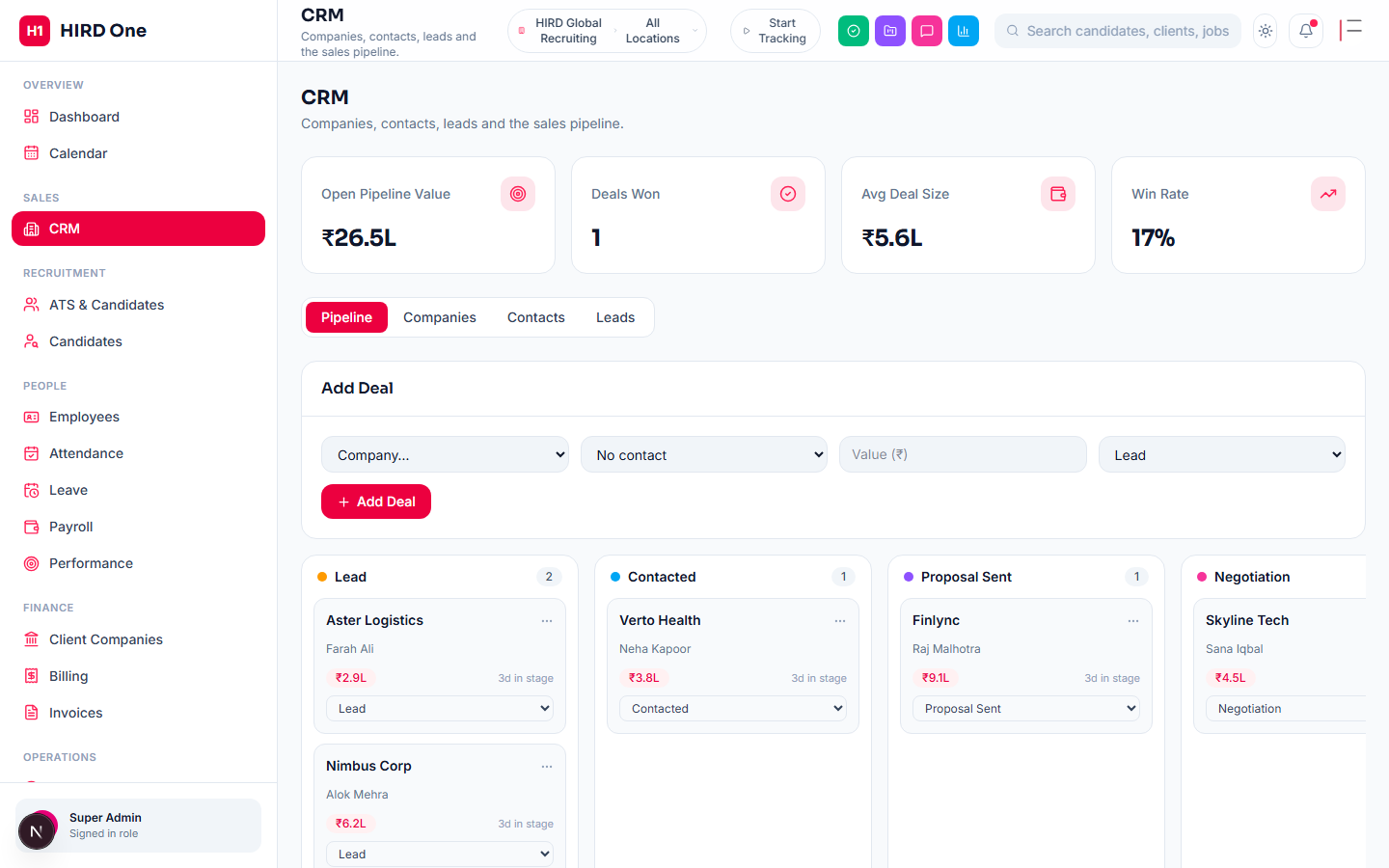
The sales side of the business — prospect companies, contacts, leads and a deal pipeline (Lead → Contacted → Proposal Sent → Negotiation → Won) for tracking recruitment/payroll services being sold, kept deliberately separate from the recruitment pipeline itself. Won deals are what Analytics reports on.
- • Companies, contacts and leads
- • Drag-stage deal pipeline
- • Won deals feed the Analytics dashboard
Recruitment
ATS & Jobs
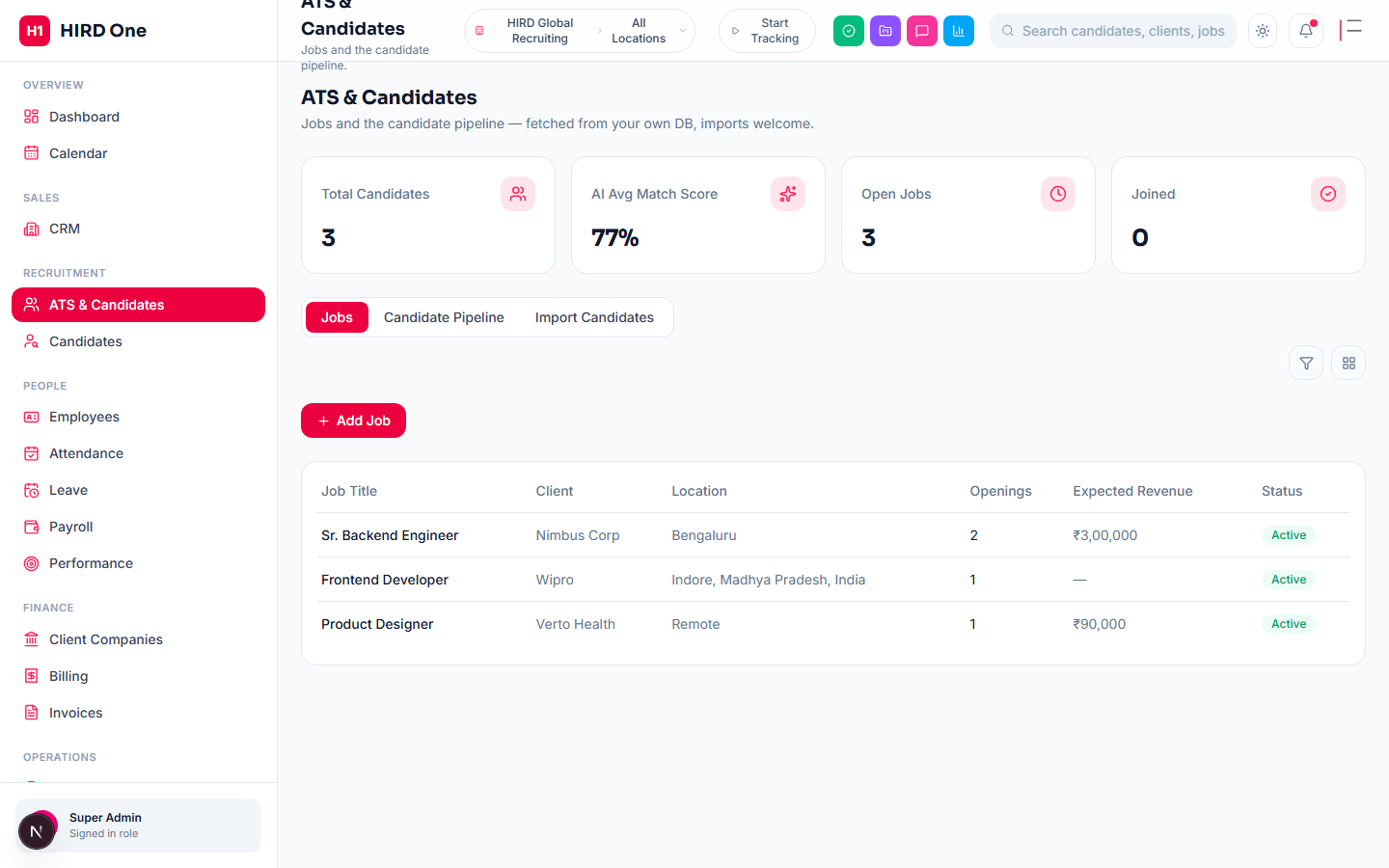
Every job opening lives here — title, client, location, openings, target date, salary range and a full requirements/benefits writeup (optionally AI-drafted from just a title and client). Jobs can be linked to a formal Client Company record so that company's own portal shows the role automatically. Full edit and delete, plus working filter and grid/list views on the jobs table.
- • AI-generated job descriptions
- • Assign one or more recruiters per job
- • Edit, delete, filter and grid views
- • Link a job to a Client Portal company
Recruitment
Recruiter & Lead Targets
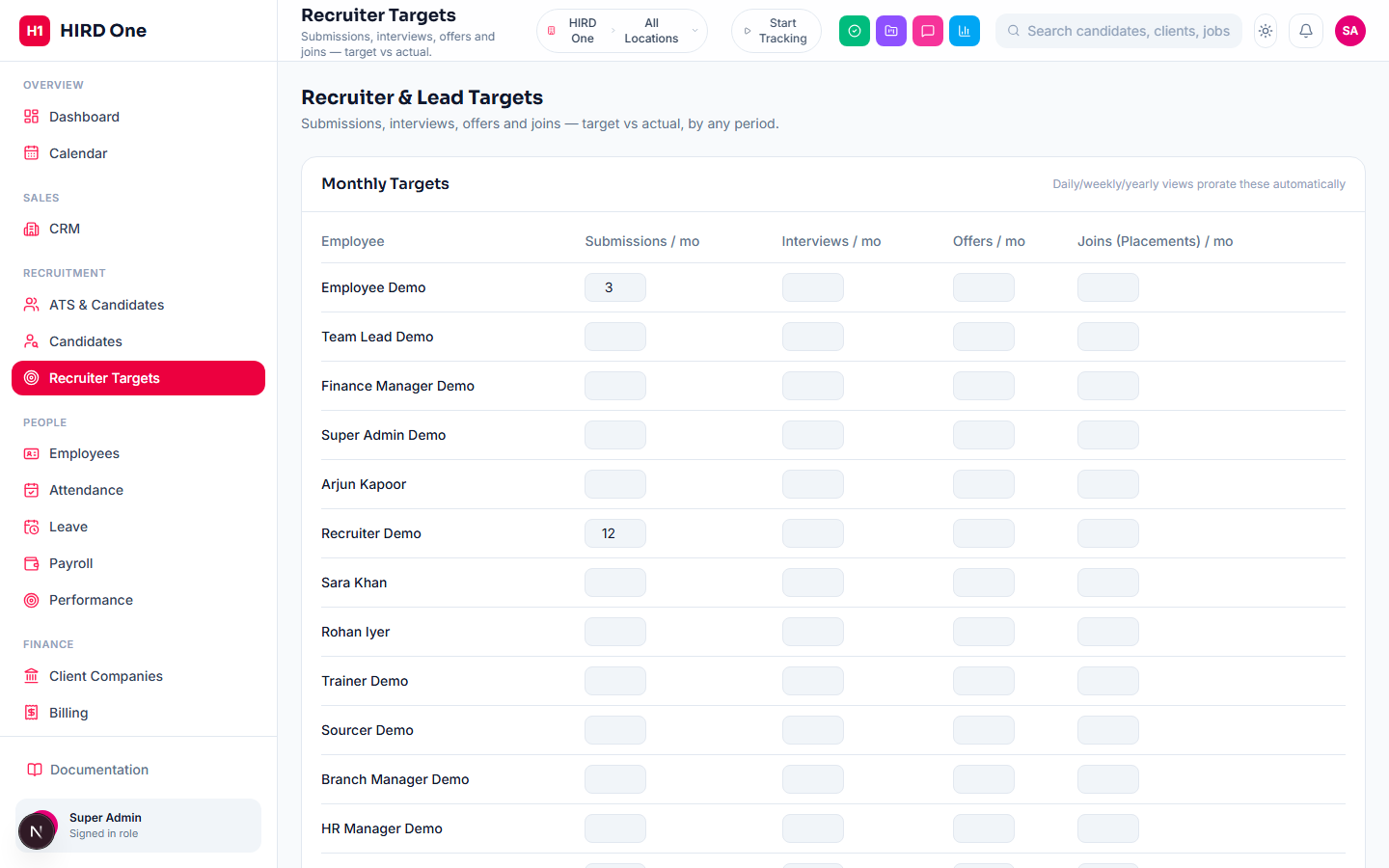
A monthly target per recruiter or lead across four funnel metrics — submissions, interviews, offers, and joins (placements). The report view prorates that monthly number against real activity for any period: Daily, Weekly, Monthly, Yearly, or a custom date range, downloadable as PDF or Excel.
- • Monthly targets per metric, per person
- • Daily / weekly / monthly / yearly / custom views
- • PDF & Excel export
Recruitment
Candidates
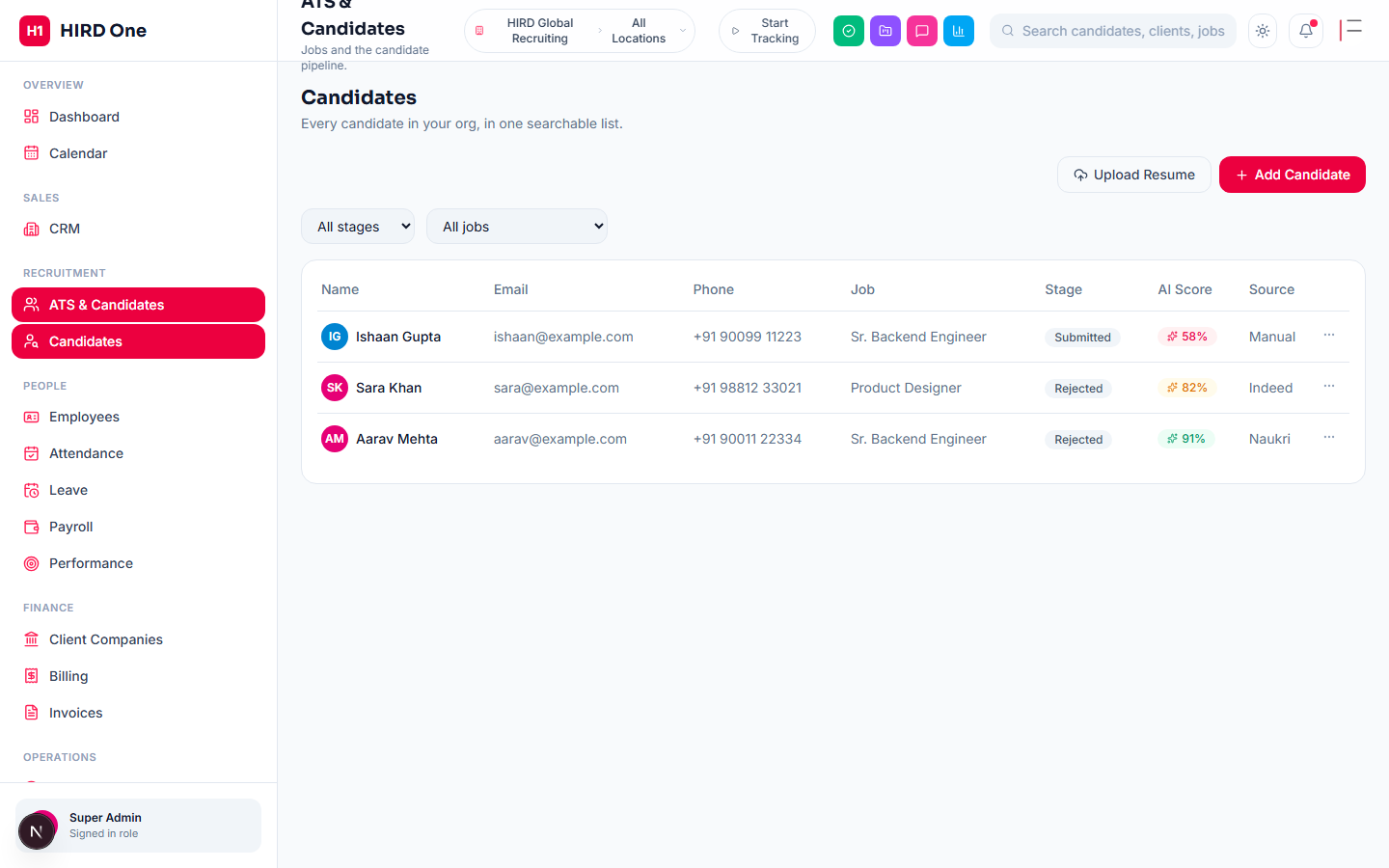
Every candidate across every job, in one searchable pipeline — sourced manually, imported from job boards, referred internally, or self-applied through the public application page. AI can parse a resume into structured fields, score it against the job description with reasoning, and rank candidates from a free-text requirements search.
- • Stage-based pipeline (Sourced → Applied → Interview → Offer → Hired)
- • AI resume parsing, match scoring and ranked search
- • Resume, cover letter and offer letter attachments
People
Employees
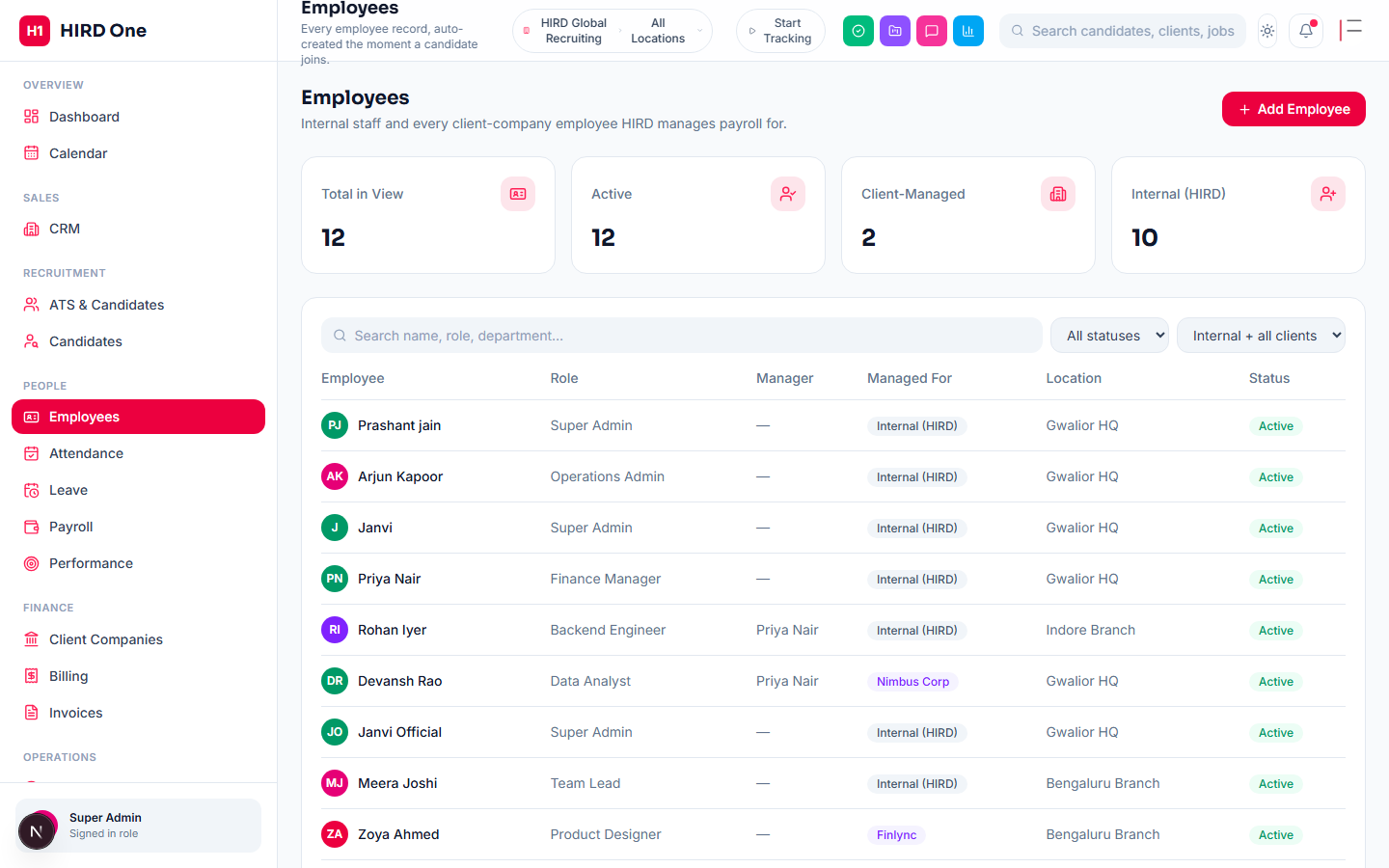
An employee record is created automatically the moment a candidate is hired, carrying their history forward. From here: profiles, documents, reporting lines (manager / team lead / HR contact), and the eTimeOffice biometric device code used for attendance sync.
- • Profiles, documents & onboarding
- • Reporting manager / team lead / HR contact
- • Probation and status tracking
People
Attendance
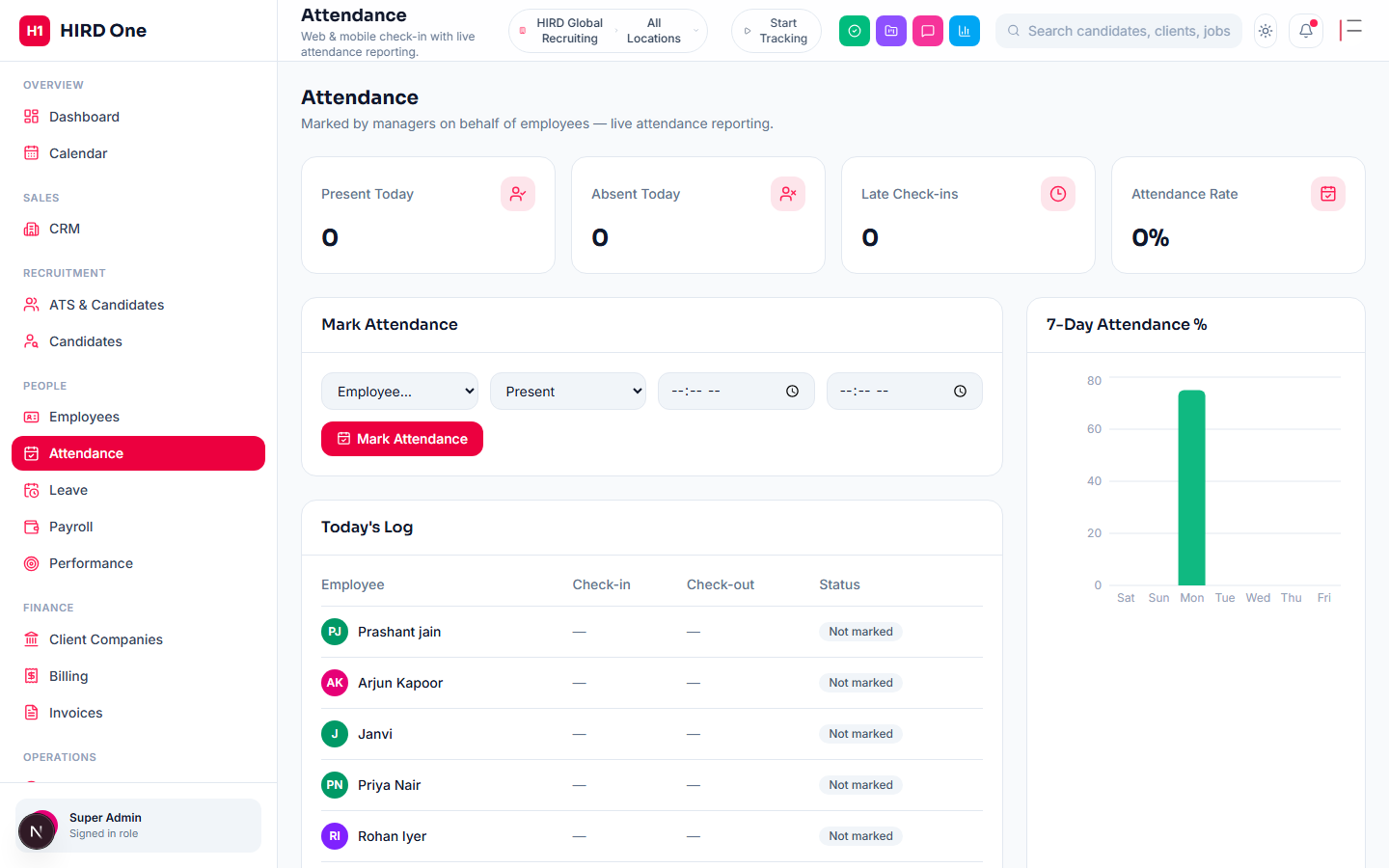
Daily attendance from three sources, all landing in the same record: a manager marking it directly, an automatic biometric sync via the eTimeOffice integration (Settings → Integrations, running on its own every few minutes — no manual "Sync" click needed), or an employee self-checking in/out with their browser's GPS location. If their assigned location has a geofence configured, a check-in outside that radius is flagged and notifies whoever manages attendance, who can acknowledge it with one click — locations with no geofence set never flag anything. A full report view covers Daily, Weekly, Monthly, Yearly and custom date ranges, downloadable as PDF or Excel.
- • Manager, biometric (eTimeOffice) and self-service GPS check-in
- • Optional per-location geofencing, off by default
- • Outside-geofence check-ins flagged for one-click manager review
- • Daily / weekly / monthly / yearly / custom PDF & Excel reports
People
Leave
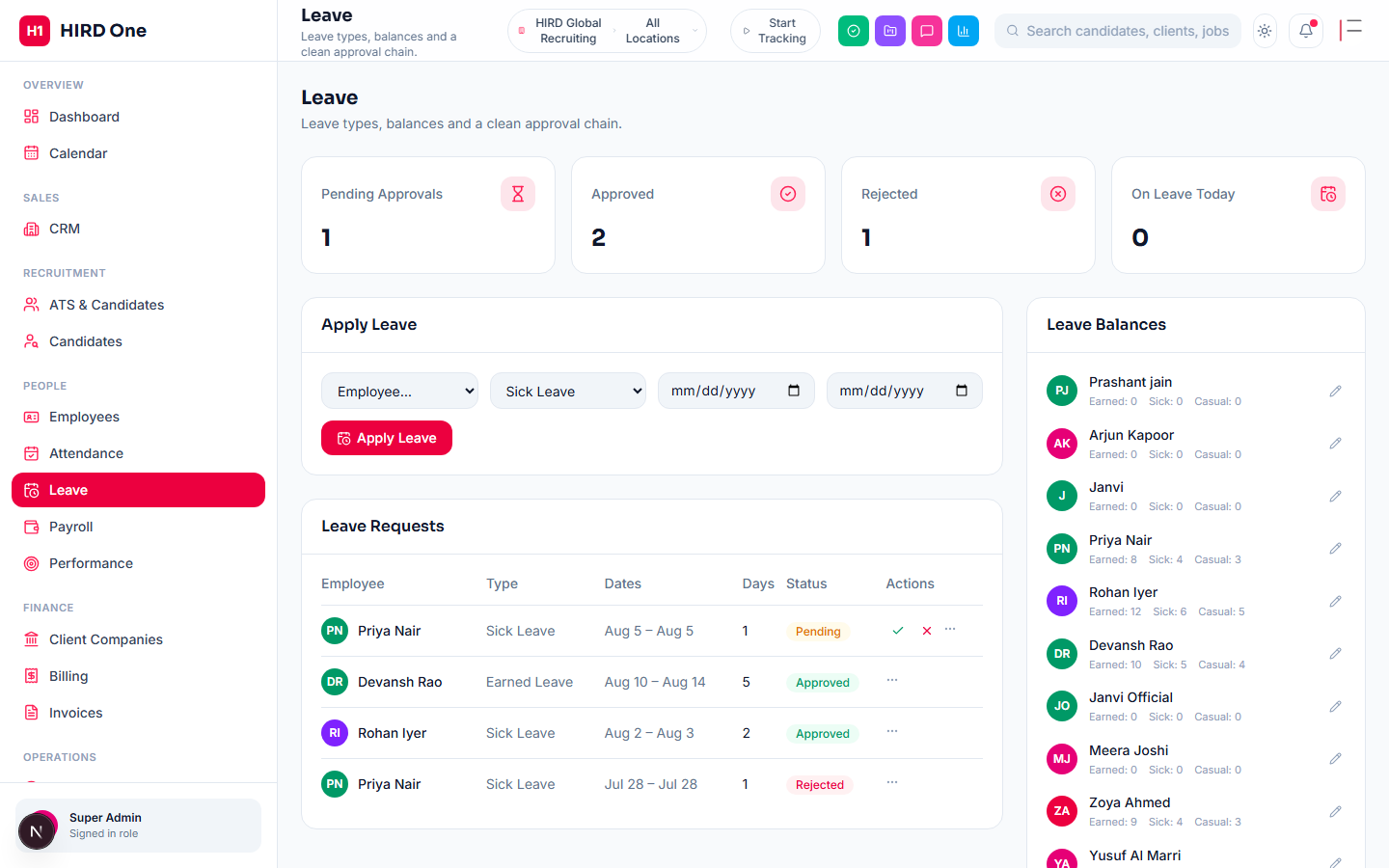
Leave types, running balances, and an approval chain that routes from employee to manager to HR. Non-privileged viewers see their own and their reports' requests only; Team Lead, Finance and Admin roles see their whole branch.
- • Configurable approval chain
- • Running leave balances
- • Holiday calendar per country
People
Performance
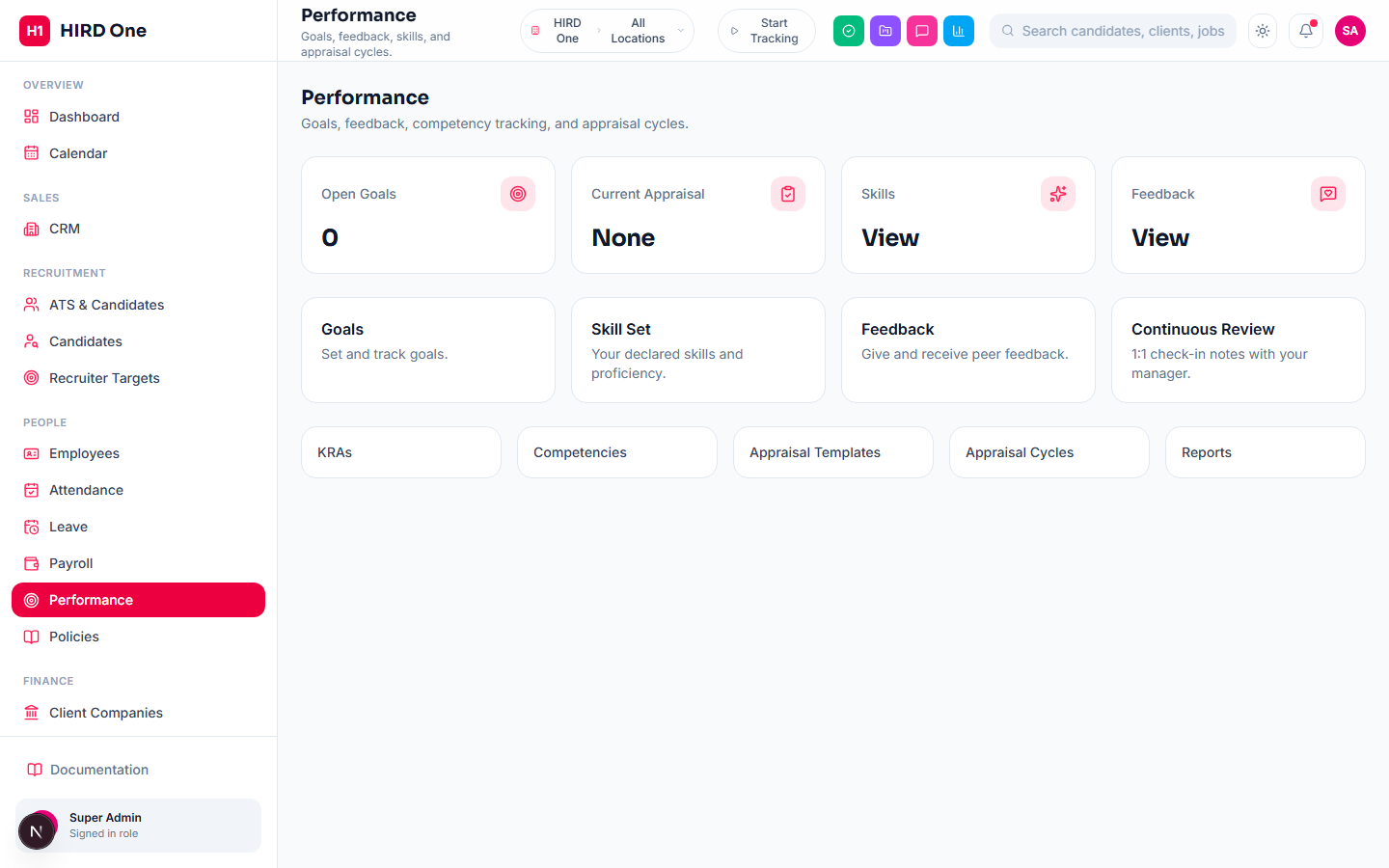
Goals & KRAs with weightage and a progress bar, appraisal cycles that generate one appraisal per active employee (snapshotting their in-flight goals at creation time), and a real two-stage review — Self Review, locked to the employee it belongs to, then Manager Review, locked to their actual reporting manager, each stage genuinely enforced server-side, not just hidden in the UI. A closing acknowledgement step (typed name + checkbox) finalizes it. Separately, managers can log dated 1:1 check-in notes and action items against their direct reports anytime, outside the formal cycle.
- • Goals/KRAs with weightage & progress tracking
- • Self Review → Manager Review → Finalized, enforced by role
- • Appraisal cycles snapshot goals at creation time
- • Ad-hoc 1:1 check-ins with action items
People
HR & Company Policies
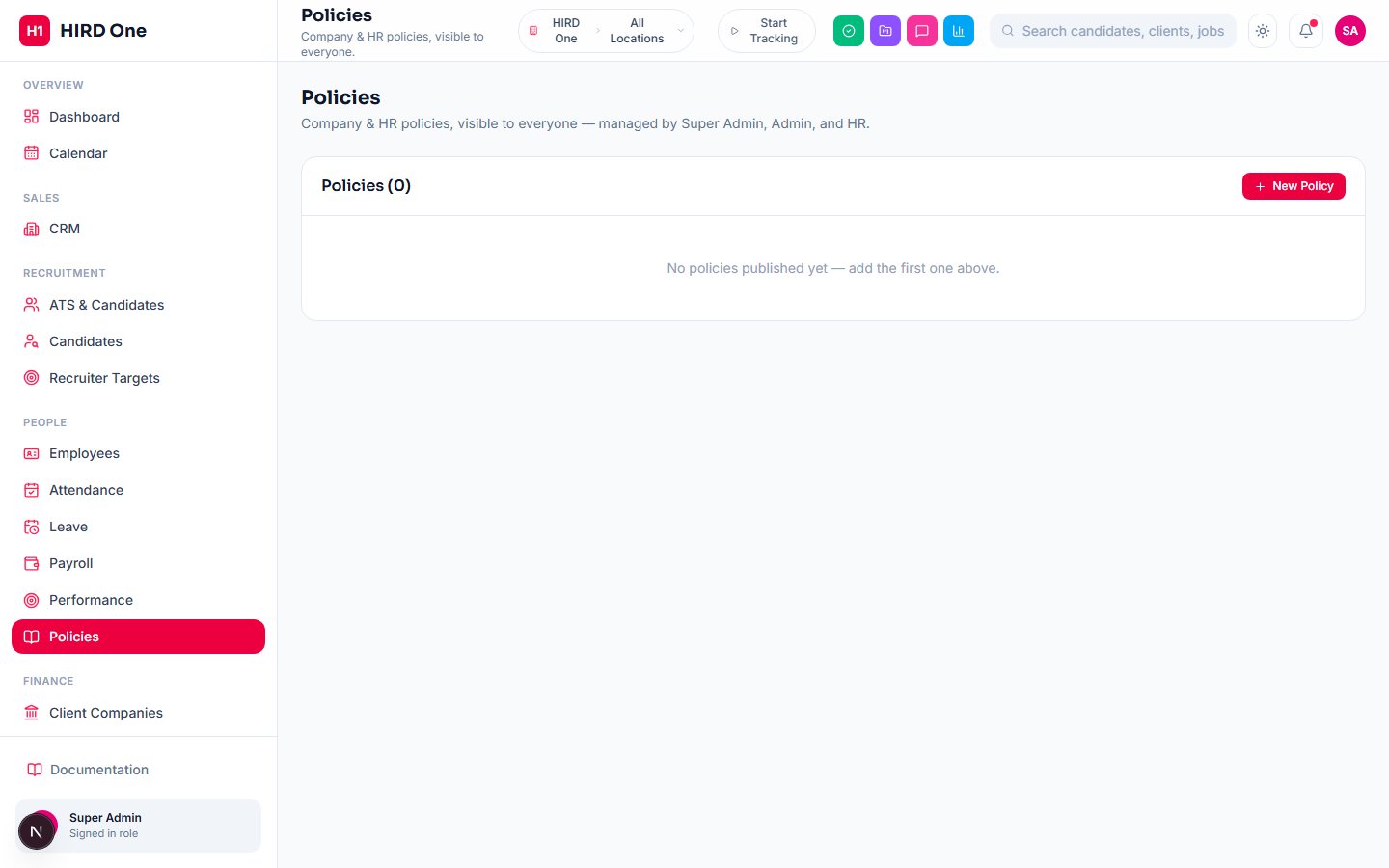
A rich-text policy library — leave policy, code of conduct, employee handbook, anything else HR wants published — visible to every employee, managed by whichever roles hold the Policies permission (Super Admin and Admin by default, extendable to any custom role via Access Control). Content is authored with the same rich-text editor used across the app and sanitized on both save and render, so nothing embedded in a policy can execute in another employee's browser.
- • Categorized policy library, visible company-wide
- • Rich-text authoring with the same editor as job descriptions
- • Sanitized on save and on render (XSS-safe)
People
Payroll
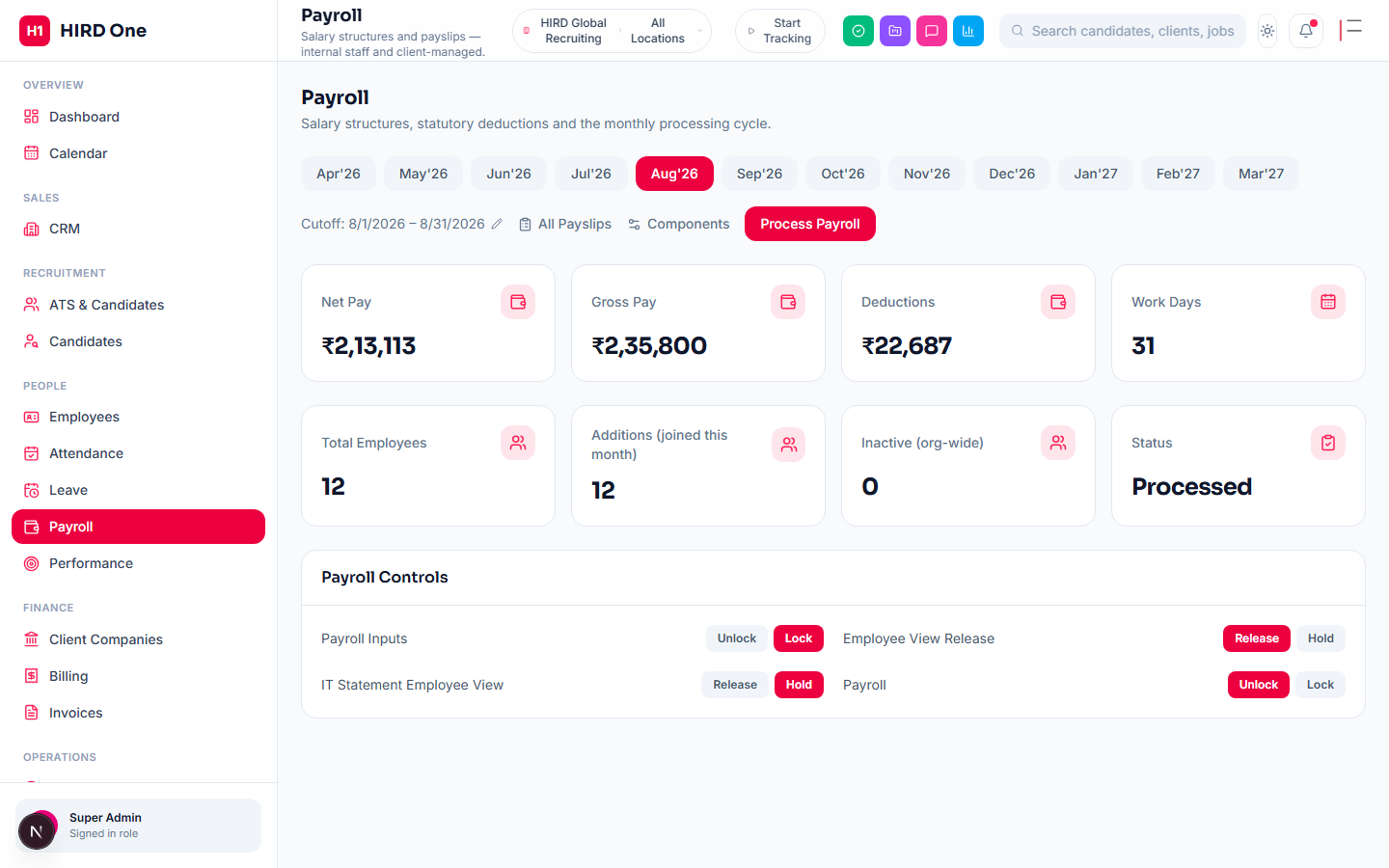
Salary structures, statutory deductions and payslip generation for both internal staff and employees managed on behalf of client companies. A payroll run locks a cycle once processed — and processing one is also what triggers everything downstream: outstanding loan EMIs get deducted automatically, approved expense claims get pulled in as reimbursement line items, and two exports become available — a bank transfer file (Beneficiary/Account/IFSC/Amount, formatted close to what most Indian bank portals accept for bulk NEFT/RTGS — HIRD One doesn't move the money itself, it produces the upload-ready file) and a Journal Voucher (a balanced Dr/Cr accounting entry set for import into an external ledger).
- • Salary structures & statutory deductions
- • Loan EMIs and approved expenses auto-pulled into the run
- • Bank transfer file export (NEFT/RTGS-ready)
- • Journal Voucher export with a Dr/Cr balance check
People
Employee Loans & Advances
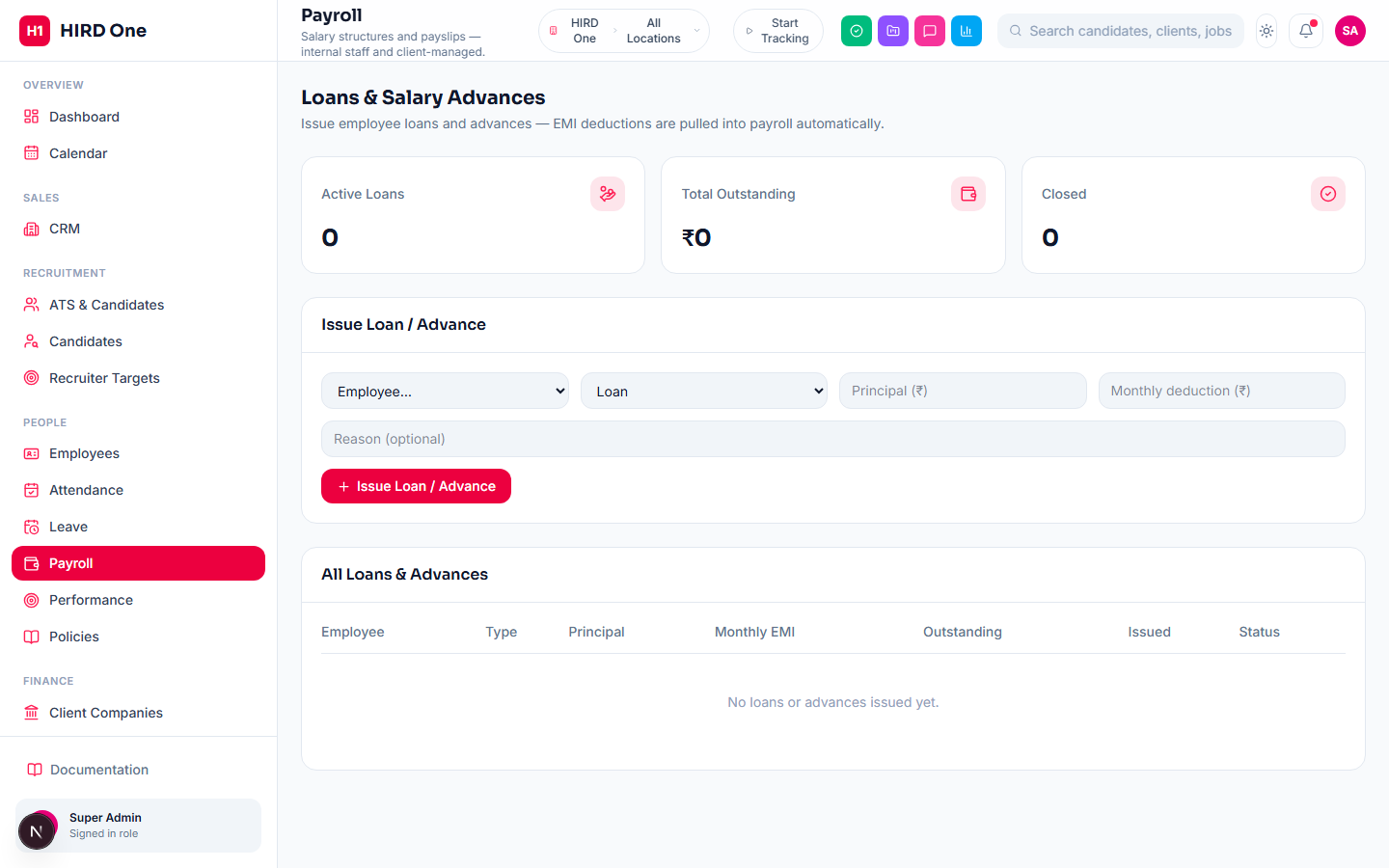
A finance-manager tool for issuing a salary loan or advance directly to an employee — principal, a fixed monthly EMI, and an optional reason. There's no employee-initiated request step; a finance/HR admin issues it and the employee is notified in-app. Every payroll run automatically deducts that EMI (or whatever's left of the balance) as a payslip line, and the loan closes itself the moment the balance hits zero — or it can be closed early for an off-cycle full repayment.
- • Loan or Advance, with a fixed monthly EMI
- • Auto-deducted from every payroll run — no manual step
- • Reprocessing a run never double-deducts
- • Auto-closes at zero balance, or close early anytime
Finance
Client Companies
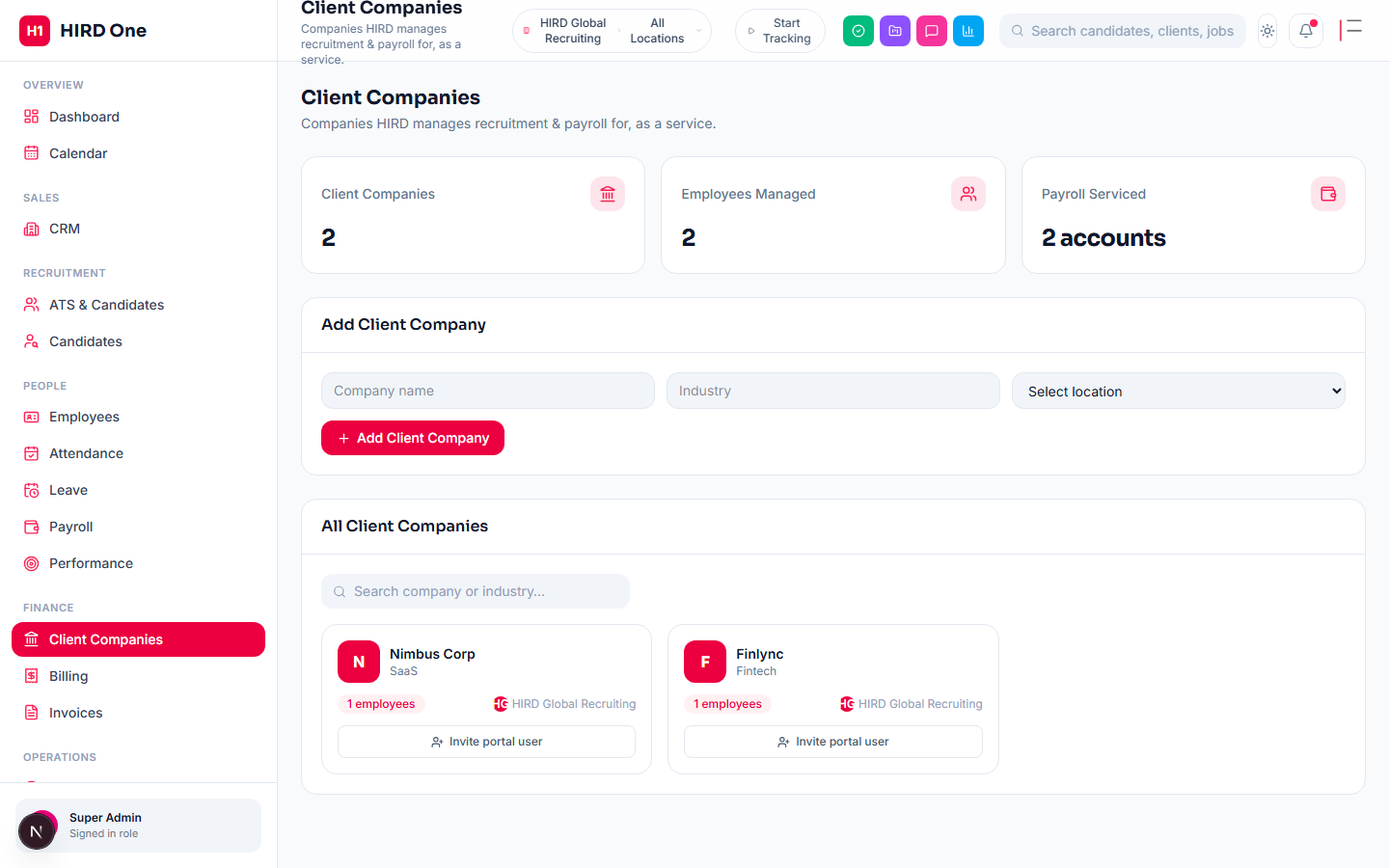
Companies the agency provides recruitment and/or payroll services to. Each one can have a Client Portal contact invited — a separate, read-only login (not an internal user account) where that company sees only their own jobs, candidate pipeline and invoices.
- • Invite a read-only Client Portal contact
- • Scoped strictly to that company's own data
- • Employees managed on their behalf
Finance
Billing Milestones
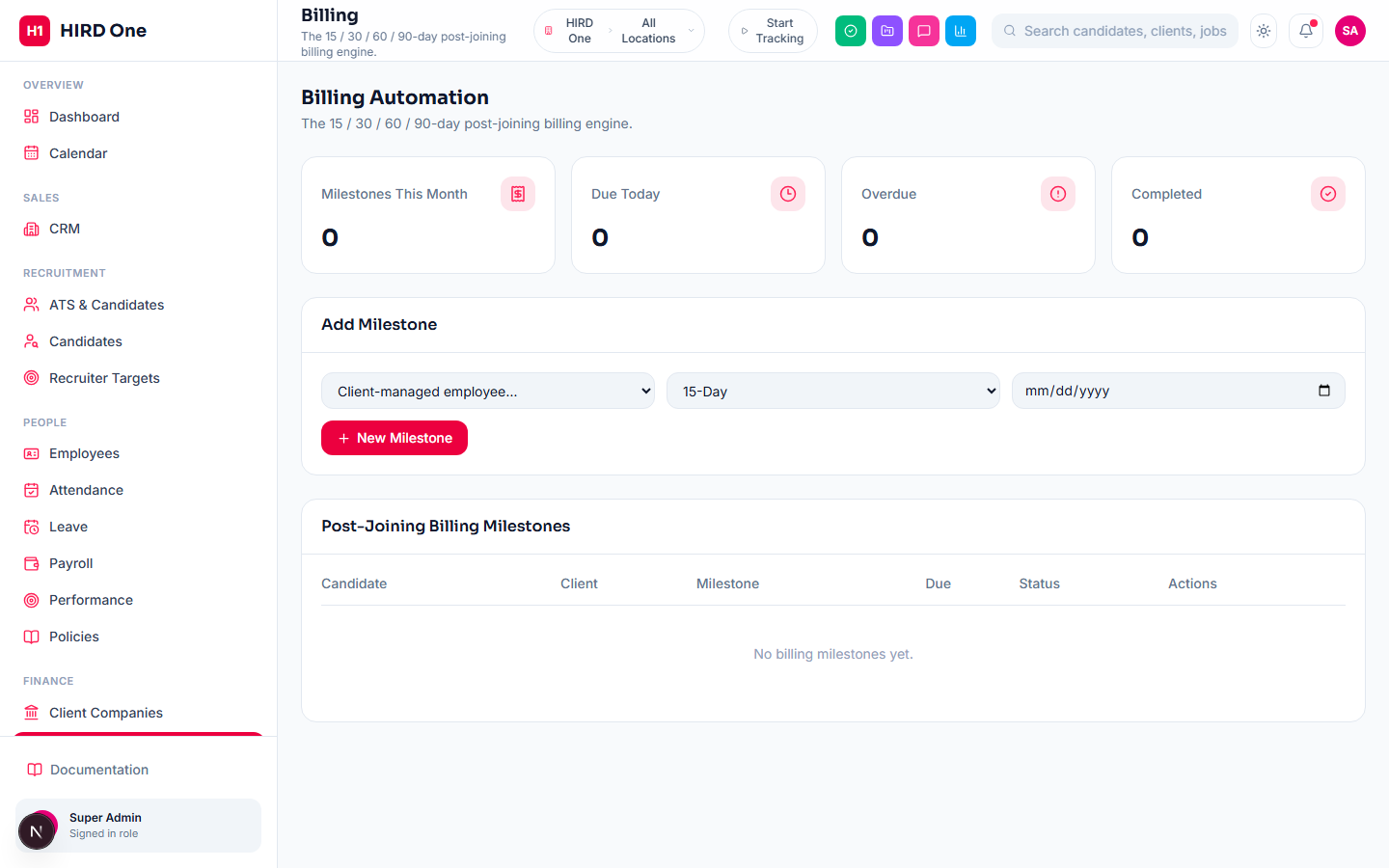
A tracker for post-joining guarantee milestones (15 / 30 / 60 / 90-day) on client-managed placements — pick the employee, the milestone type, and a due date; the page shows Upcoming, Due Today or Overdue purely computed from today's date against that due date. Marking one Completed is a manual checkbox. This is a tracking tool for finance to work from, not an automated trigger — it doesn't create invoices or send alerts on its own; that's a deliberate human checkpoint before anything gets billed.
- • 15 / 30 / 60 / 90-day milestone tracking per placement
- • Status computed live from the due date
- • Manual completion — nothing bills itself automatically
Finance
Invoices
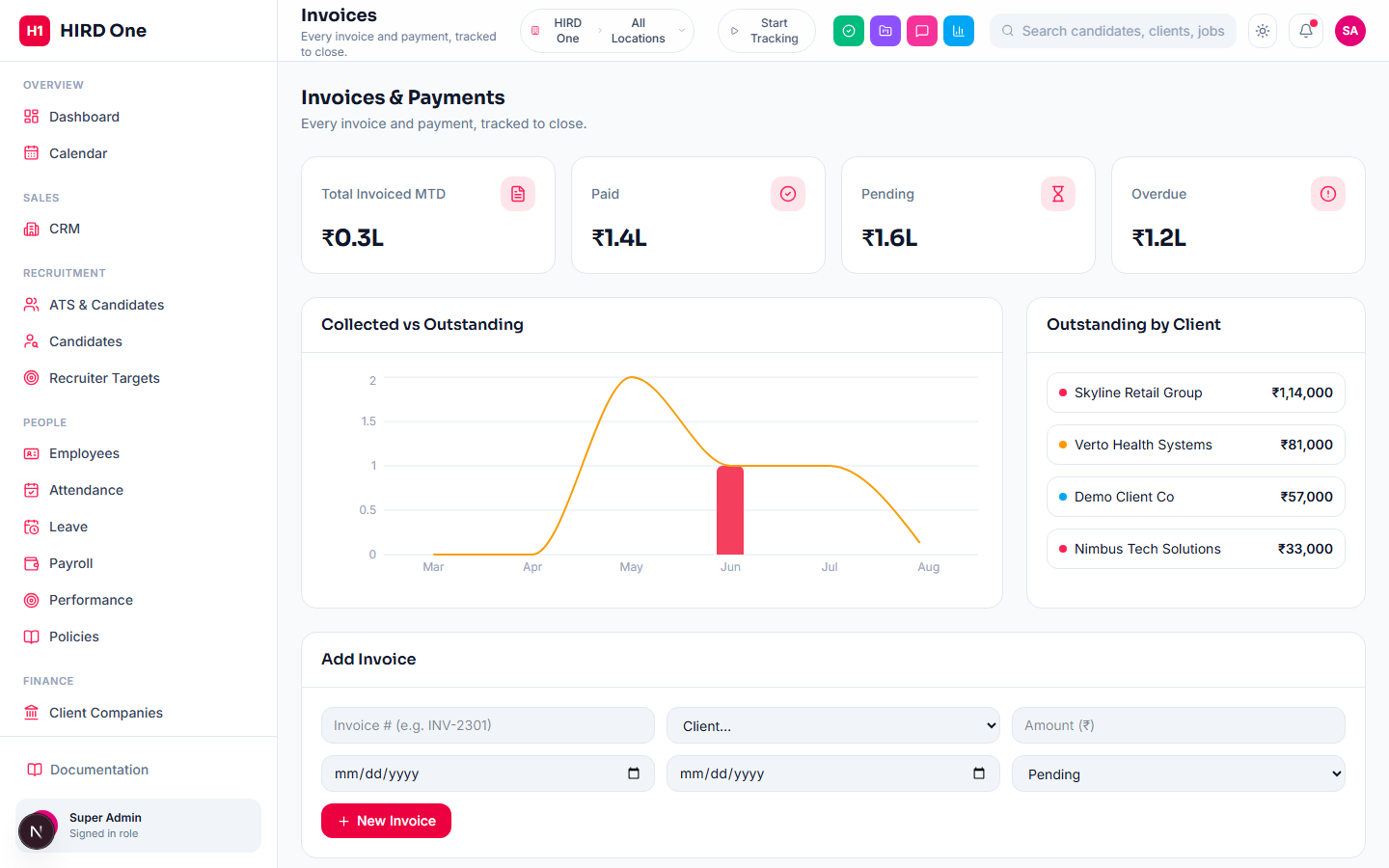
Every invoice to a client company — number, amount, issue and due dates — tracked through to Paid. From the Client Portal, a client can pay online via a real Razorpay payment link (generated against the org's own Razorpay account), covering one or several invoices in a single payment; a signed webhook marks them Paid automatically and notifies the relationship manager. A client can also flag "I paid another way" for manual review instead.
- • Manual invoice creation and status tracking
- • Real Razorpay payment links from the Client Portal
- • Auto-marks Paid via signed webhook, notifies the relationship manager
- • Client-flagged manual review for other payment methods
Finance
Expenses
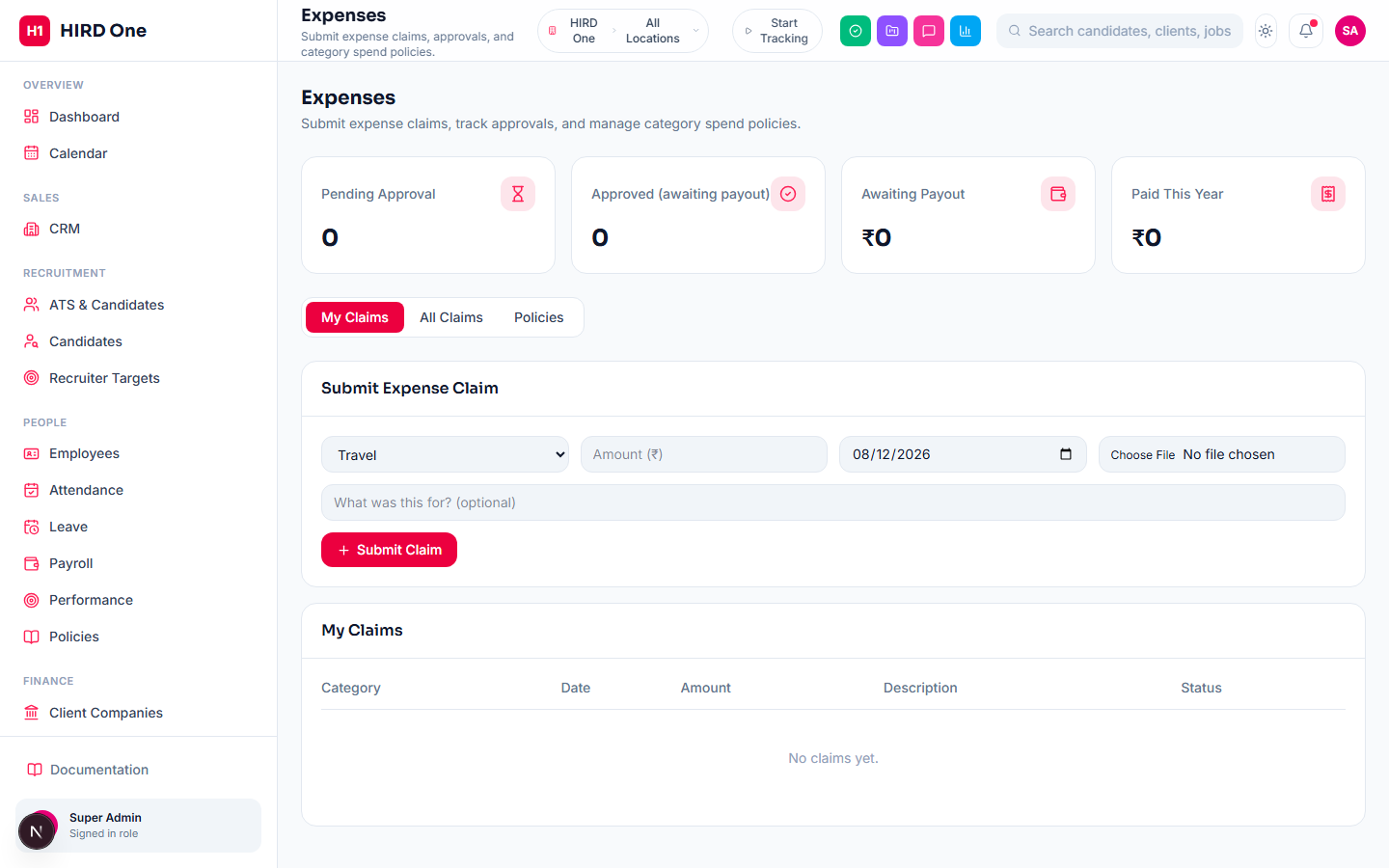
Any employee can self-submit an expense claim — category, amount, date, description, and an optional receipt photo or PDF. It routes through the same configurable multi-step approval chain used by Leave and Timesheets; with no chain configured, it falls back to a single finance-manager approval. Org admins can set a per-claim and monthly spend limit per category — going over either shows an amber warning to approvers but never blocks submission, a soft nudge rather than a hard gate. Once approved, a claim sits waiting until the next payroll run pulls it in as a reimbursement line and marks it Paid — reimbursement happens through the payslip, not a separate payment step.
- • Self-service submission with receipt upload
- • Configurable multi-step approval chain
- • Soft per-category spend-limit warnings
- • Reimbursed automatically through the next payroll run
Operations
Timesheets
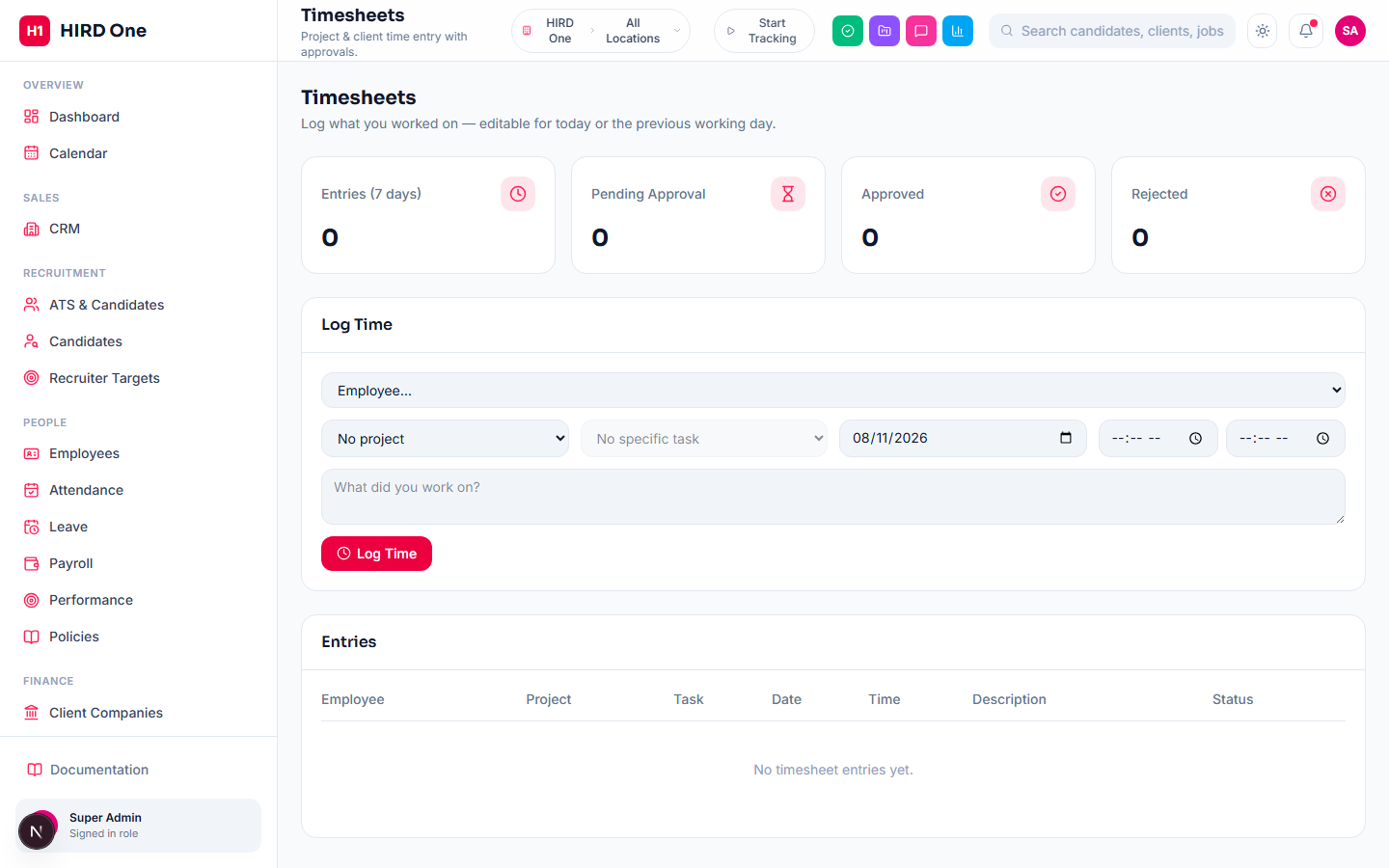
Manual time entry — a date, a from/to time, and an optional link to a specific project or task — routed through the same configurable approval chain as Leave and Expenses. Entries logged against a task roll up automatically into that task's "Time Logged" total, visible right on the task detail page.
- • Log time against a project or a specific task
- • Configurable approval chain, same engine as Leave
- • Rolls up into a task's Time Logged total automatically
Operations
Projects & Task Boards
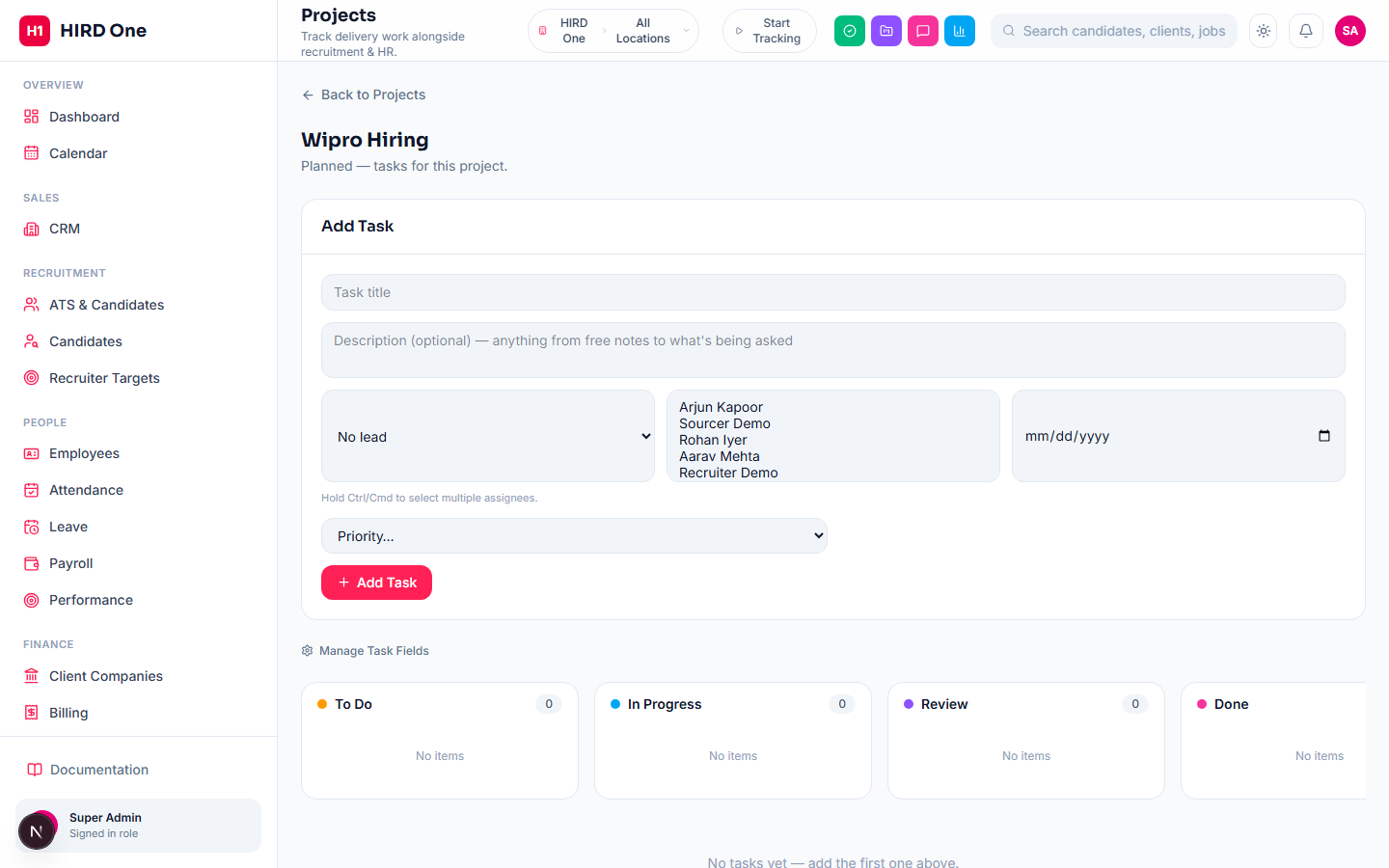
A project holds multiple tasks on a Kanban-style board. Each task has a title, a rich-text description, one or more assignees plus a single lead, a required deadline (flagged red once overdue), subtasks, threaded comments, file attachments, and Super-Admin-configurable custom fields (text, number, date, or a dropdown of options) that appear on every task form org-wide automatically. Tasks can also be linked to each other ("relates to", "blocks", etc.) or to ad-hoc external web links, right from the task detail page.
- • Kanban board with multiple assignees + one lead per task
- • Subtasks, comments, attachments and linked work items
- • Org-wide custom fields (text / number / date / dropdown)
- • Required deadline, overdue flagged in red
Operations
Sprints, Backlog & Epics
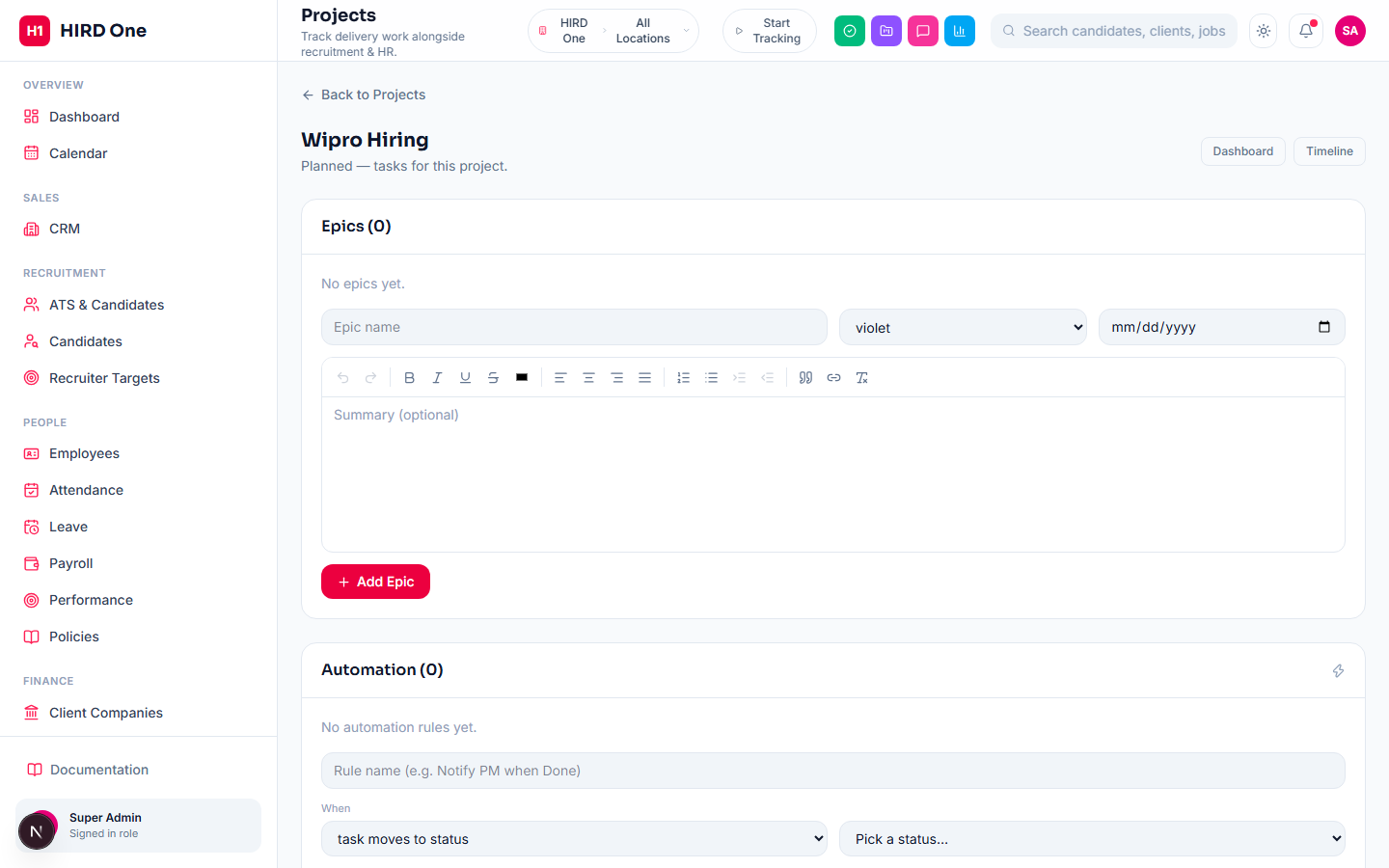
A Jira-style Backlog view lists every unscheduled task; move tasks into a Sprint (Planned → Active → Completed), start it, then work the Active Sprint from the board. Completing a sprint automatically returns any unfinished tasks to the backlog rather than losing track of them — only one sprint is active at a time. Epics group related tasks under one initiative with an automatically rolled-up progress bar, visible on the project dashboard.
- • Backlog → Sprint planning, one active sprint at a time
- • Starting or completing a sprint is one click
- • Unfinished tasks return to backlog when a sprint completes
- • Epics with automatic progress roll-up
Operations
Custom Workflows, Automation & Timeline
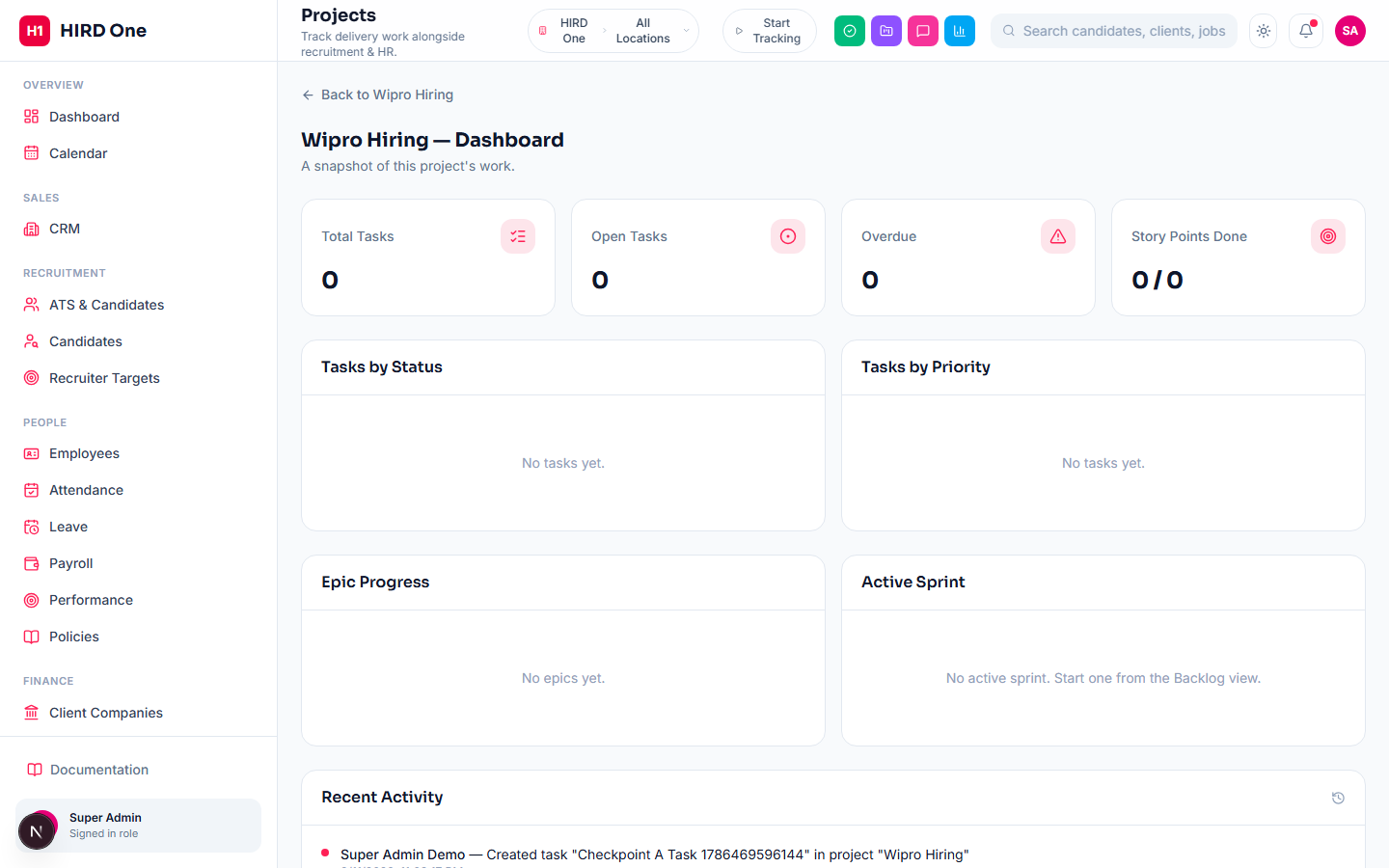
Super Admin can define a fully custom set of task-status columns per project instead of the default To Do / In Progress / Review / Done. Automation Rules then react to what happens on the board: when a task moves to a given status, its priority changes, or a new task is created, automatically notify someone, assign it, or set its priority — a trigger and an action, no code involved. A per-project Dashboard rolls up tasks by status and priority, epic progress, and the active sprint; a read-only Timeline plots every task by start date and deadline, Gantt-style (dates are edited from the task itself, not dragged on the timeline).
- • Fully custom status columns per project
- • Trigger → action automation rules (notify / assign / set priority)
- • Project dashboard: status, priority, epic and sprint widgets
- • Read-only Gantt-style Timeline view
Operations
Assets
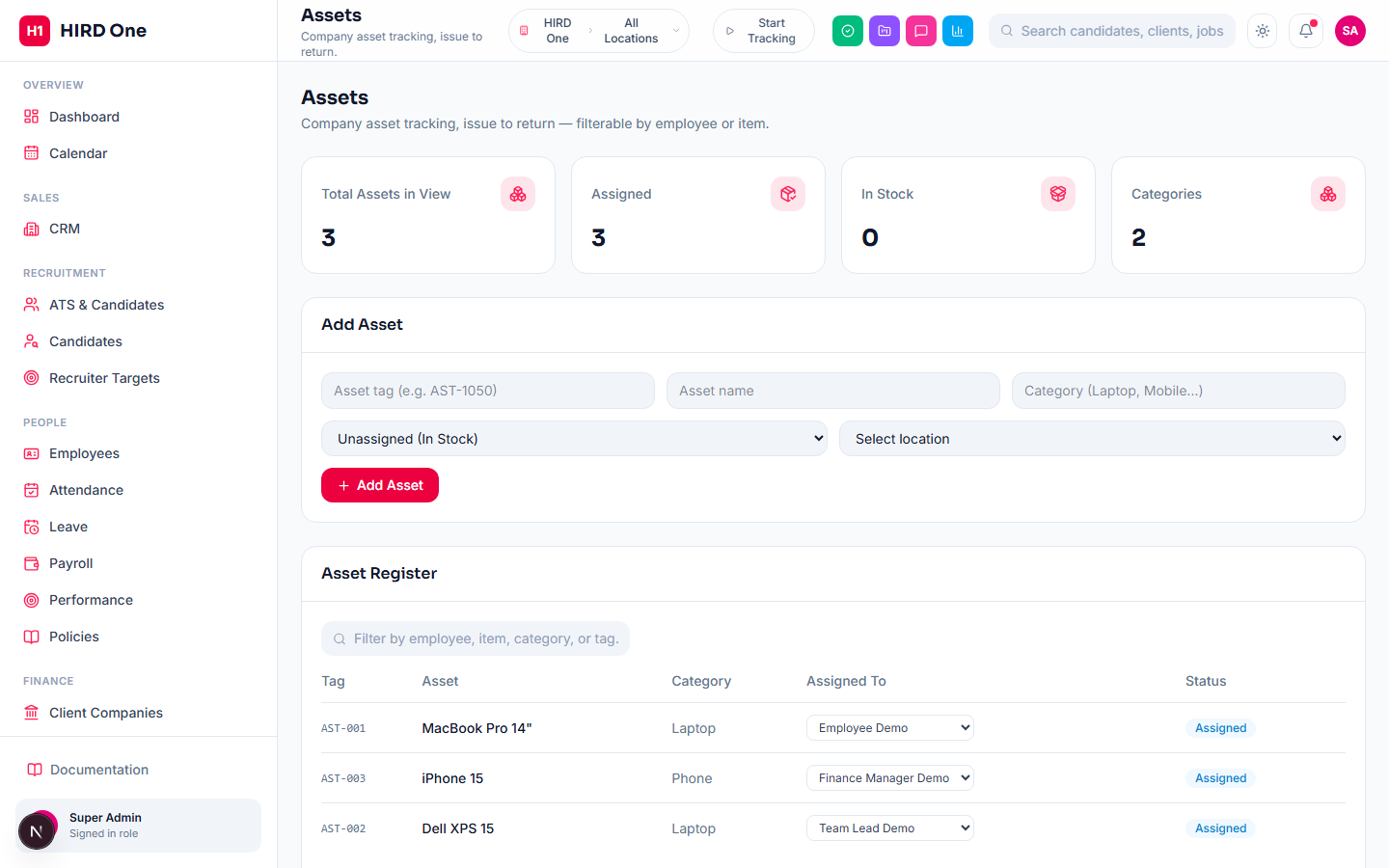
A live company asset register — tag, name, category, current assignee and location, with search and filtering. Reassigning an asset updates who currently has it; the register reflects current state rather than a full issue/return history with dates and prior holders.
- • Searchable, filterable asset register
- • Inline reassignment between employees
- • In Stock / Assigned status tracking
Operations
Helpdesk
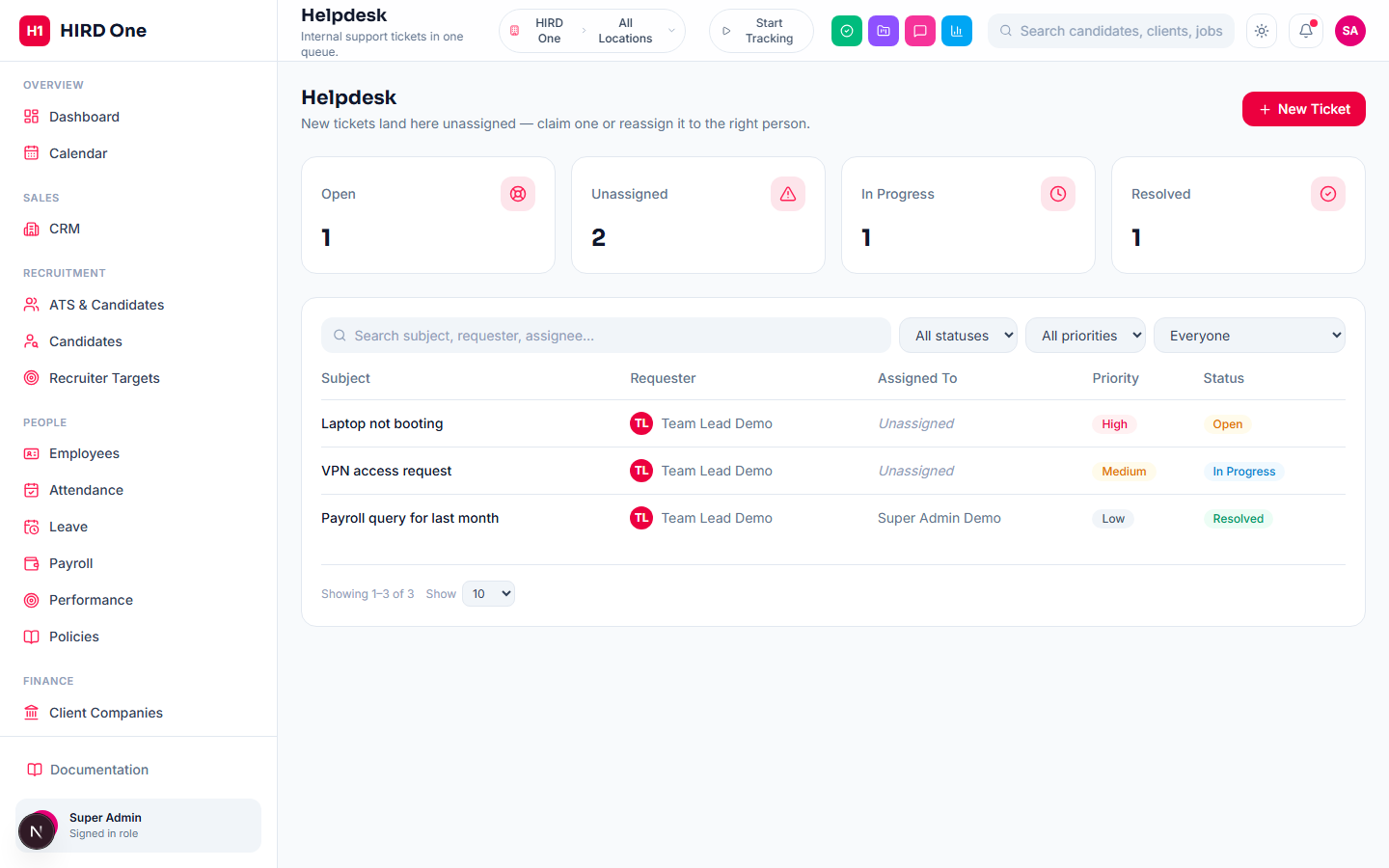
Internal support tickets — subject, rich-text description, priority and location — land unassigned and visible to anyone at that location who manages tickets; they claim or reassign it with a dropdown. The requester and current assignee can always see and update the ticket; no one else can. Status moves Open → In Progress → Resolved with plain buttons — this is a straightforward ticket queue, not an SLA-timer or knowledge-base system.
- • Location-scoped ticket queues
- • Claim or reassign from a dropdown
- • Requester and current assignee always retain visibility
Operations
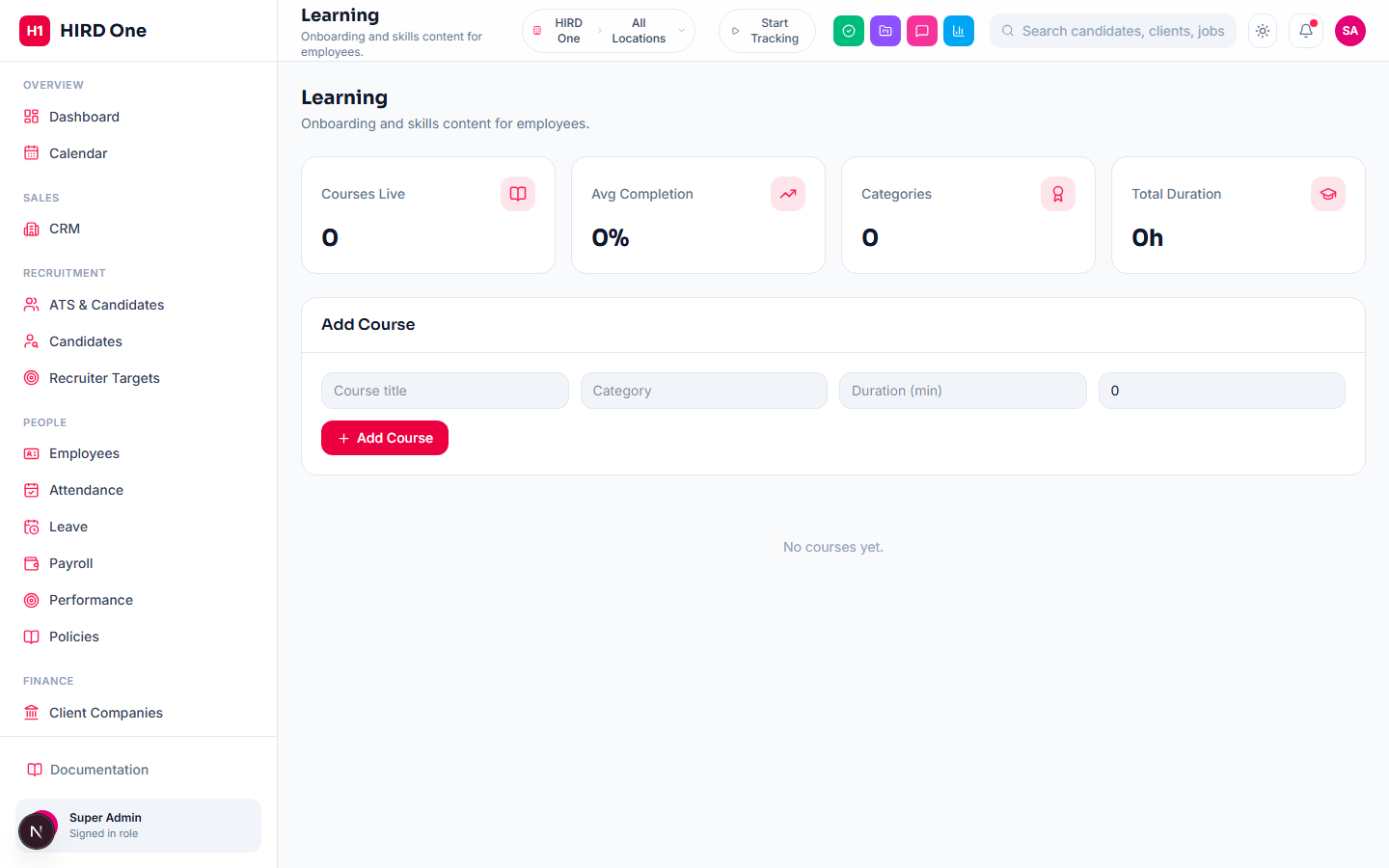
Learning
A shared course catalog — title, category, duration, and a completion percentage set by whoever adds the course. It's a reference library everyone can browse, not a per-employee enrollment system: there's no individual "mark complete" and no certificate issuance — the completion % shown is editorial input from whoever manages the course, not tracked per-learner usage.
- • Company-wide, browsable course library
- • Managed by whoever holds the Learning permission
Activity Tracking
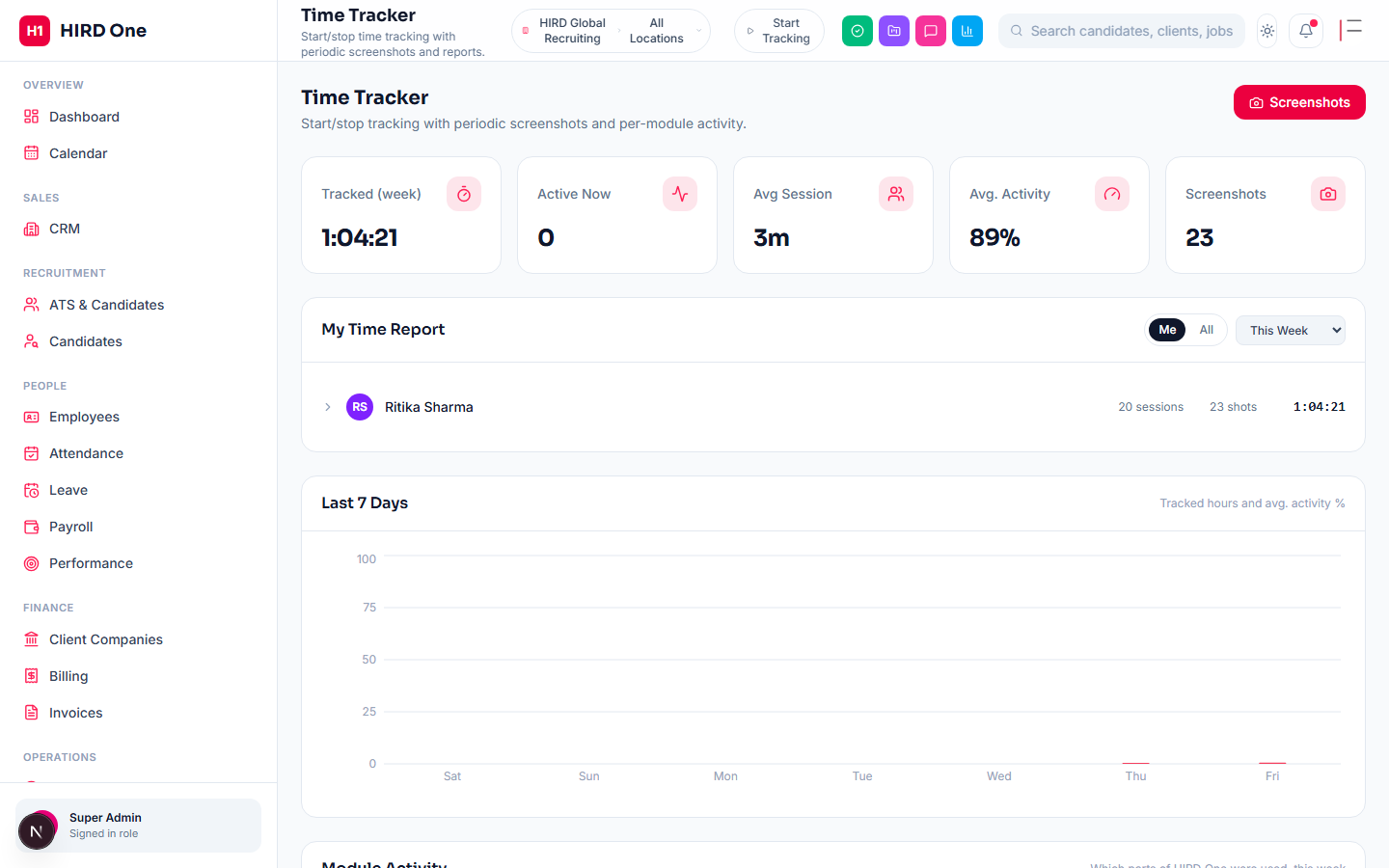
Time Tracker
A self-service start/stop tracker in the top bar — shows the day's accumulated total across multiple stop/start cycles, not just the current session — with periodic screenshots (browser screen-share or the downloadable desktop app for real keyboard/mouse activity %). Screenshots are only ever served through an authenticated route and open in an in-page lightbox gallery, never a new browser tab or a shareable raw link. A separate module from manager-marked Attendance above.
- • Start/stop from the top bar on any page
- • Screenshot capture (browser or desktop app)
- • Secure, authenticated screenshot viewing
- • Day / week / month / quarter / year reports
Communication
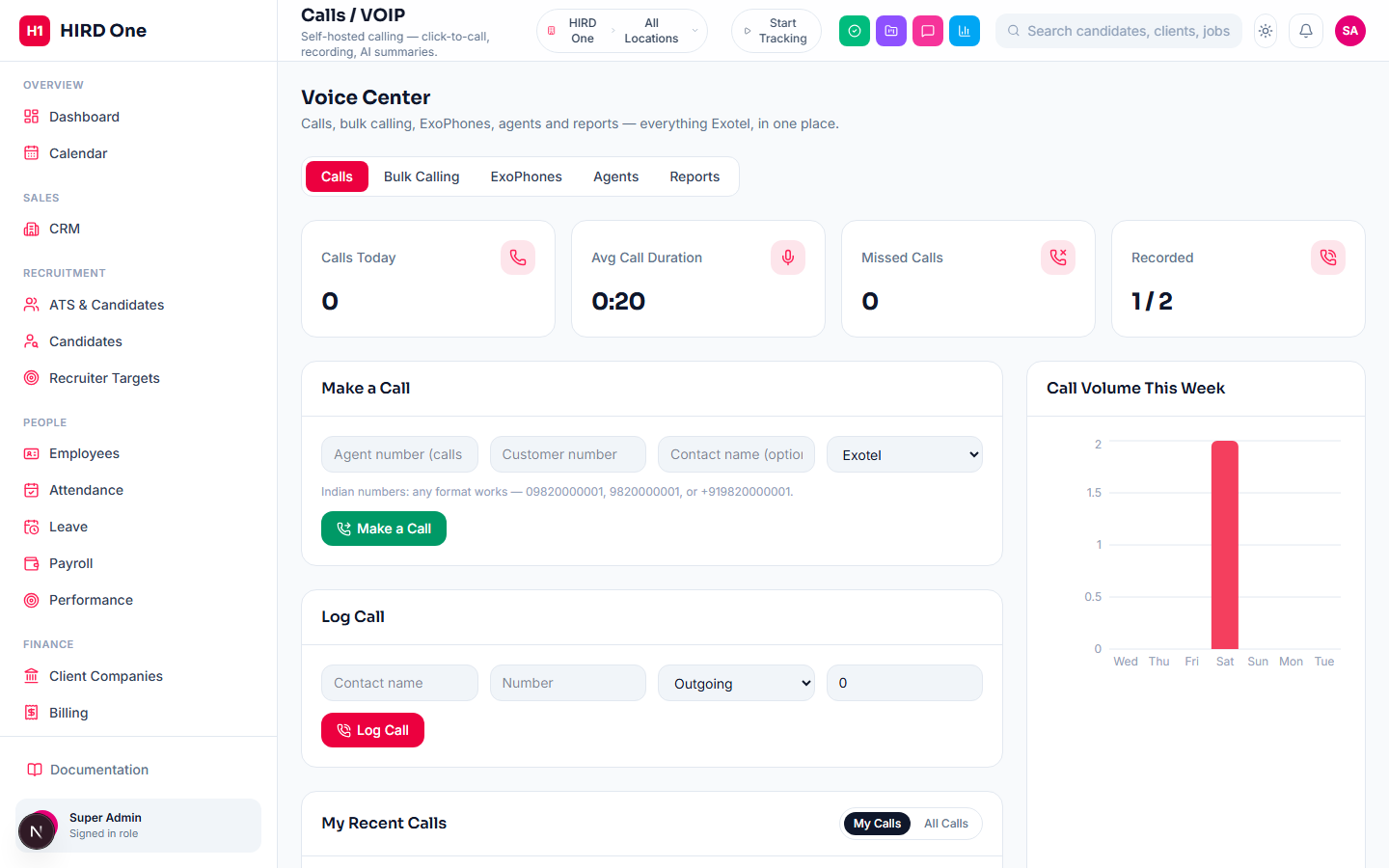
Calls / Voice Center
A full Exotel integration in one place: click-to-call, bulk calling (dial a pasted list of numbers one after another), inbound call routing (an ExoML webhook plus a one-click "Connect to HIRD One" per ExoPhone via Exotel's own API — no manual App Bazaar setup), ExoPhone and Agent management synced straight from Exotel, and Daily/Weekly/Monthly/Yearly call reports with PDF/Excel export. Call status and recordings are kept current by a background sync against Exotel's own call records, not solely dependent on a webhook reaching this server. Recordings are listenable by whoever placed the call, plus HR/Admin/Super Admin for everyone's, with a My Calls / All Calls toggle. Twilio is available as an alternate calling provider, and ExoVerify (phone OTP verification) has its own connect panel.
- • Bulk calling to a pasted number list
- • Inbound routing connected via API, not the Exotel dashboard
- • ExoPhone & Agent sync
- • My / All calls visibility
- • PDF & Excel call reports
Communication
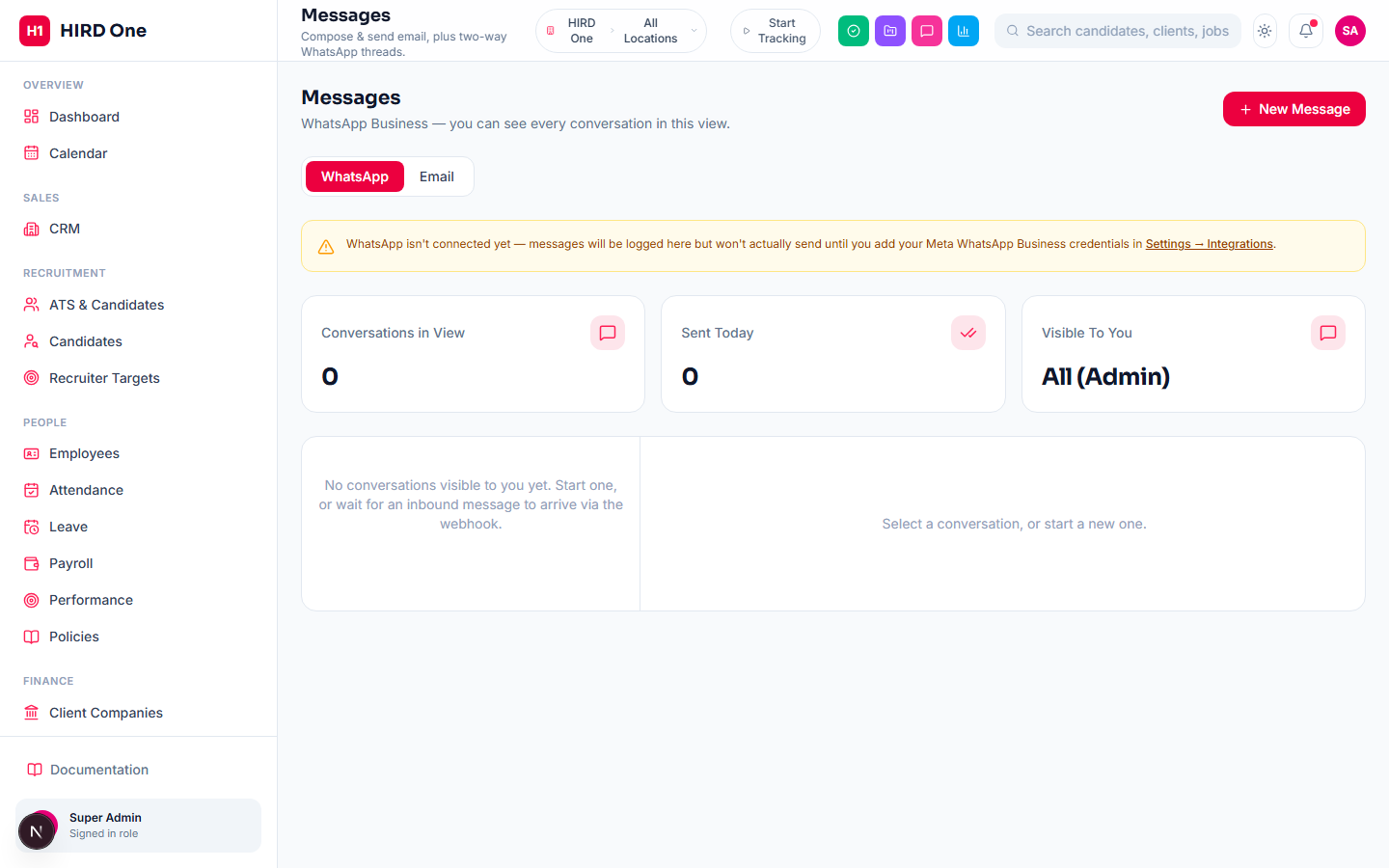
Messages
Two channels under one page. WhatsApp: real two-way threads via Meta's Cloud API — outbound sends (template-gated for first contact, matching Meta's own rules) and genuinely webhook-driven inbound delivery, with read/delivery status and an AI "Draft" button for message text. Visibility is scoped: full access sees every conversation, everyone else only threads they started or replied into. Email: ad-hoc compose with To/Cc/Bcc, immediate or scheduled send, drafts, and a sent log with per-message status.
- • Two-way WhatsApp via Meta Cloud API, webhook-driven inbound
- • AI-drafted message text
- • Ad-hoc email with schedule-for-later
- • Per-conversation visibility scoping
Communication
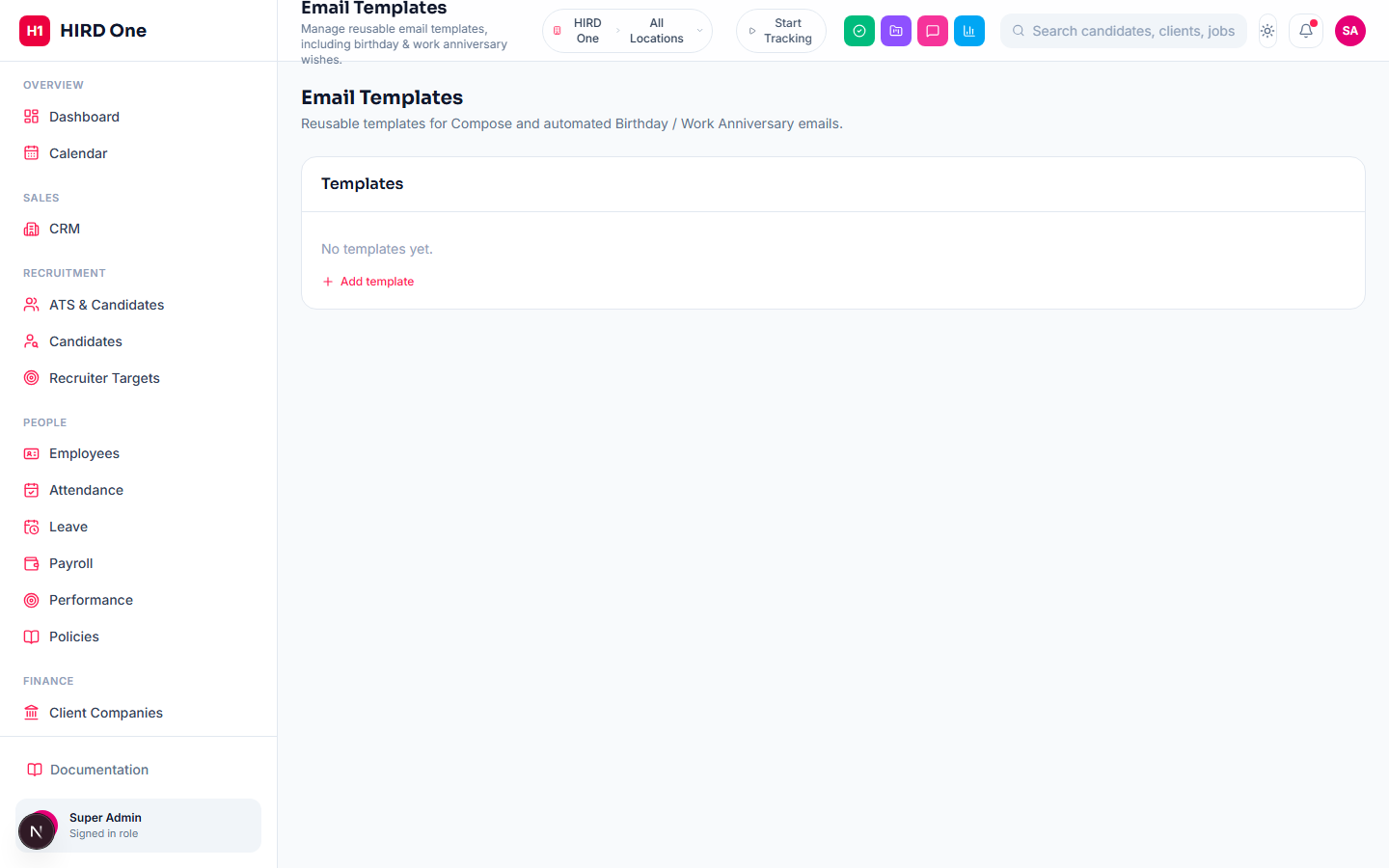
Email Templates
Reusable templates by category, including Birthday and Work Anniversary — used both from Compose and by the app's own automated sends. There's no cron or scheduled-job runner behind that automation: today's birthdays (and any scheduled emails now due) are checked and sent the next time anyone opens the dashboard, deduplicated so the same email never goes out twice in a day. Deleting the last template in an automated category is blocked so the automation can't silently break.
- • Categorized, reusable templates
- • Birthday & Work Anniversary automation
- • Deleting an in-use automation template is blocked
Intelligence
AI Engine
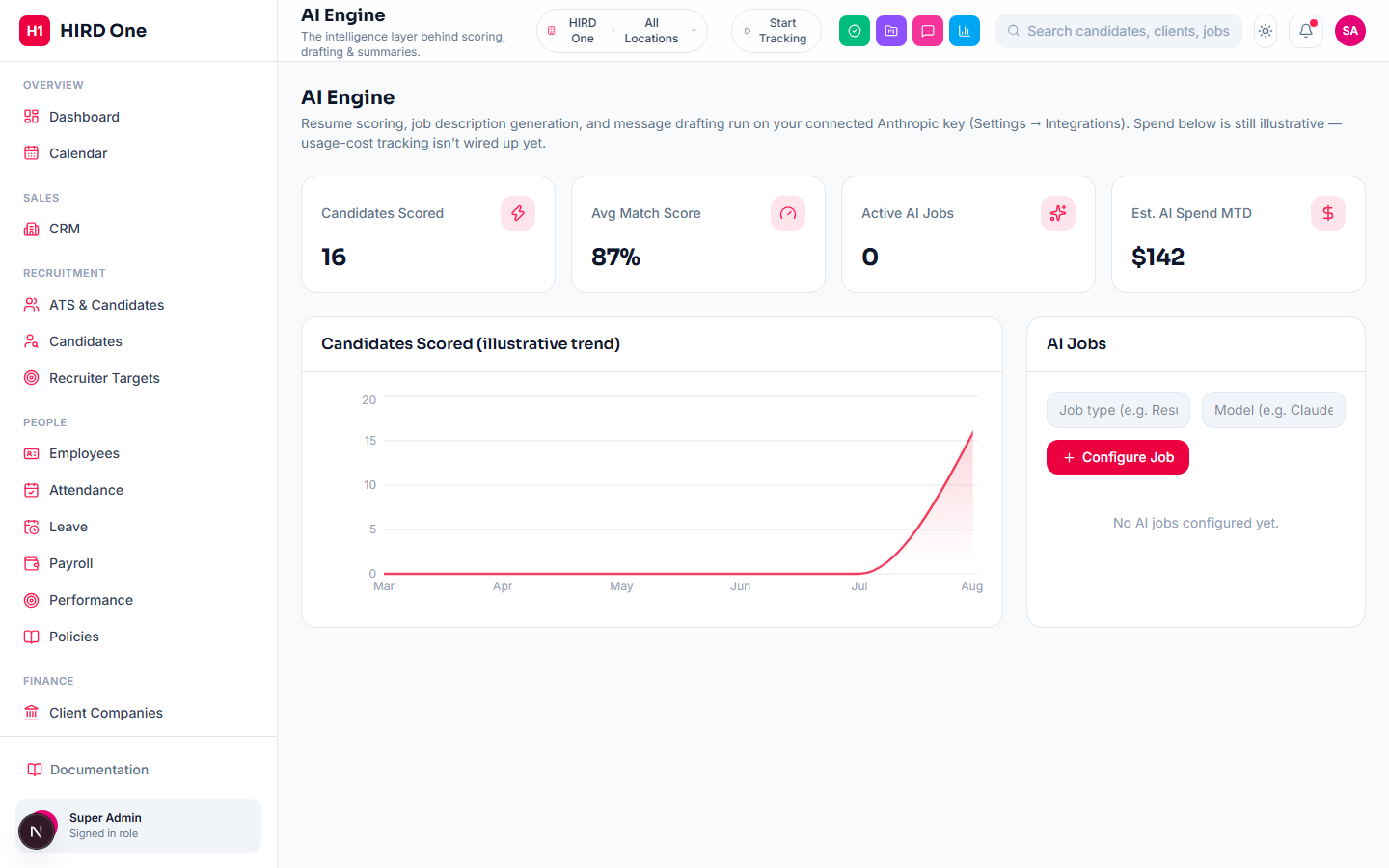
The real AI features live inside the modules that use them — resume parsing and job-match scoring in Candidates, AI-ranked candidate search, AI-drafted job descriptions in ATS, and AI-drafted message text in Messages. The dedicated AI Engine page is a usage dashboard for those features (candidates scored, average match score, a usage trend) — cost/spend tracking isn't wired up to real API billing yet, which the page itself says outright rather than showing a fabricated number as if it were live.
- • Resume parsing & job-match scoring (in Candidates)
- • AI-ranked candidate search
- • AI-drafted job descriptions and messages
- • Centralized usage dashboard
Intelligence
Reports Gallery
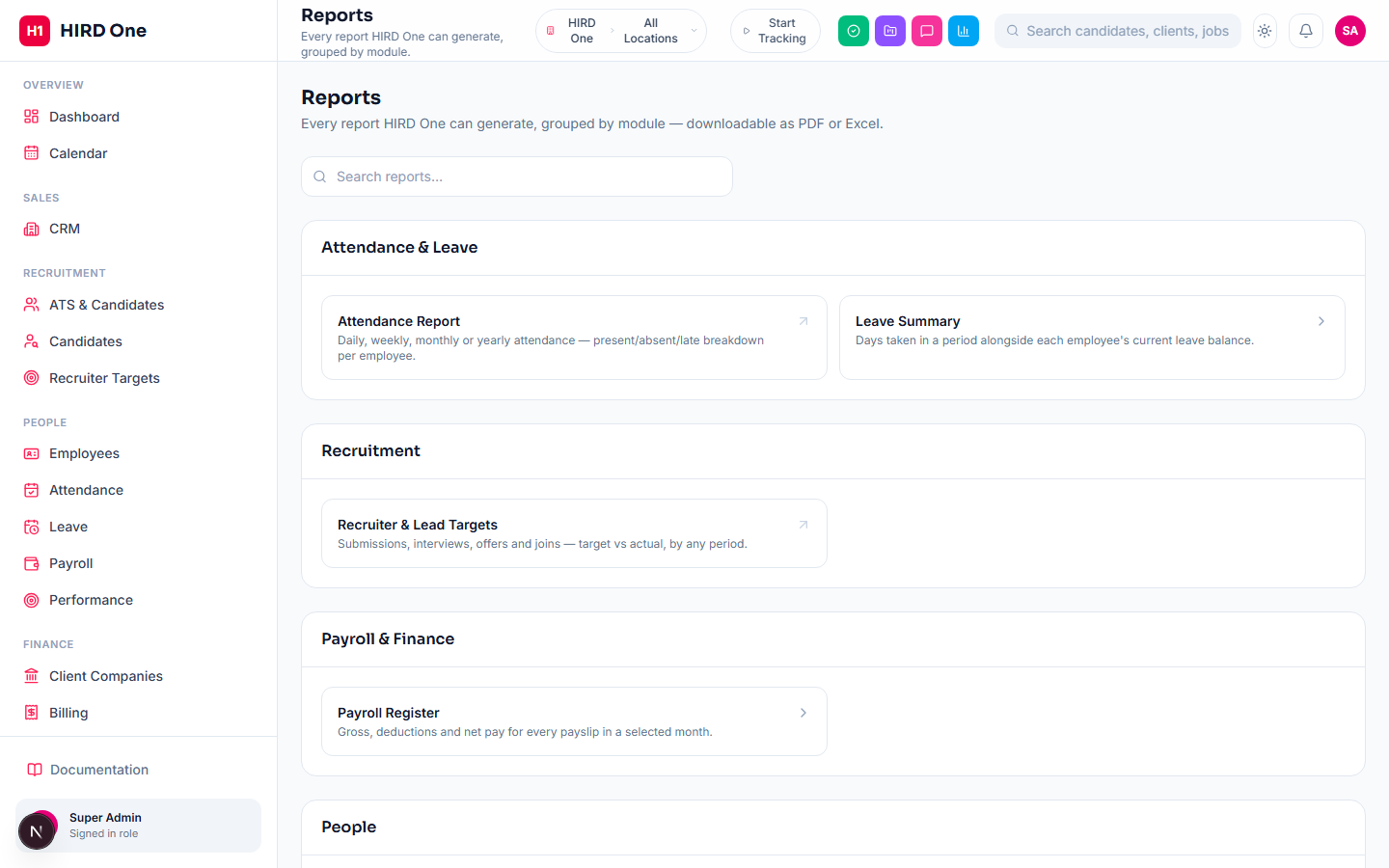
Every report the app can generate, grouped into categories (Attendance & Leave, Recruitment, Payroll & Finance, People) with search. Reports that already have a full period selector (Attendance, Recruiter Targets) link straight to their own page; simpler ones (Leave Summary, Payroll Register, Employee Directory) generate inline with a small filter panel. Every report downloads as a styled PDF or an Excel workbook.
- • Categorized, searchable report library
- • Inline generate-with-filters for simpler reports
- • PDF & Excel export on every report
Intelligence
Analytics
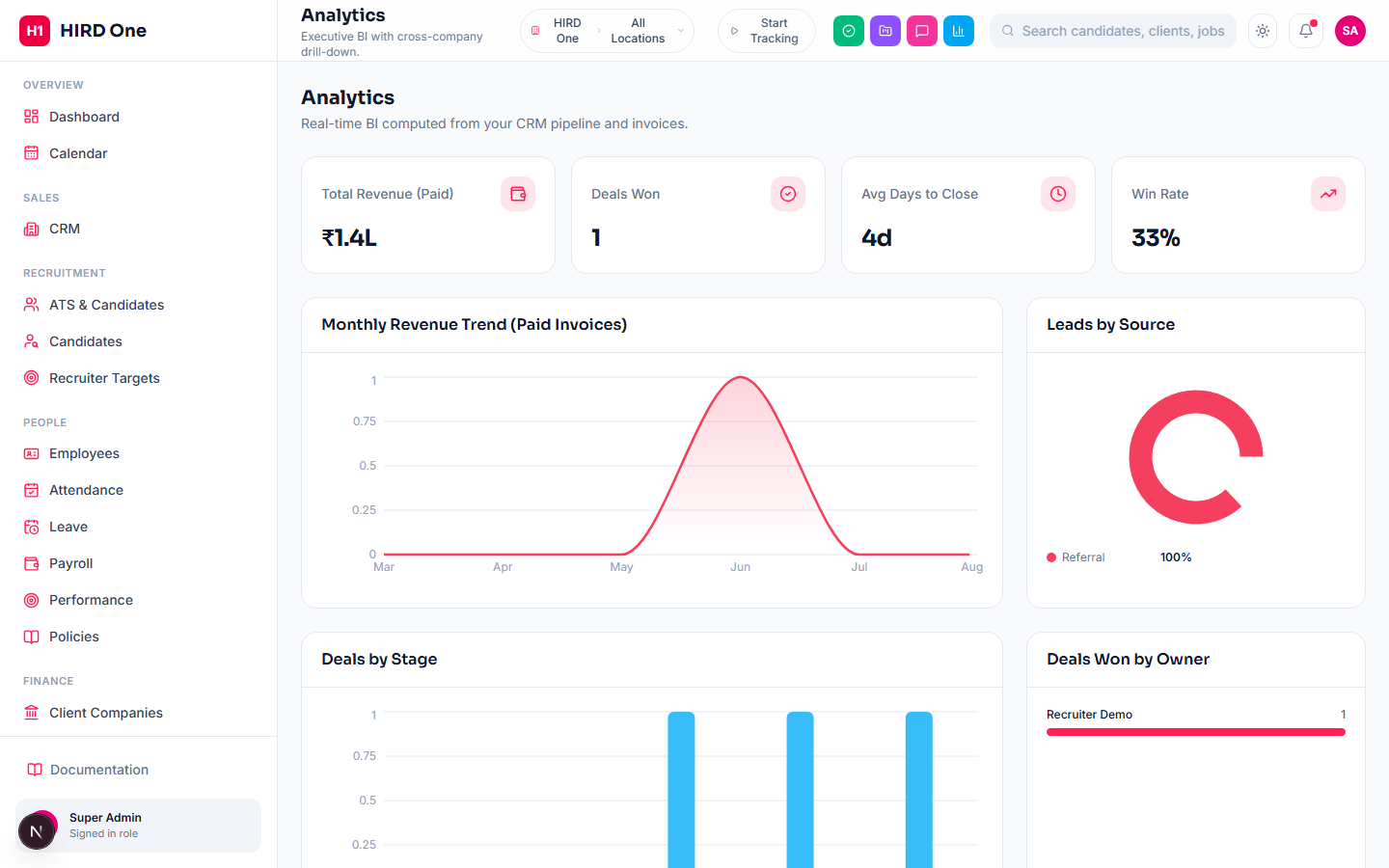
A CRM and invoicing dashboard, scoped strictly to your own company: paid revenue, deals won, win rate, average days-to-close, a 6-month revenue trend from paid invoices, leads by source, deals by stage, and deals won by owner. It's a historical and current-state view of your own sales pipeline — not a cross-company view and not a forecasting model.
- • Revenue, win rate & days-to-close
- • Leads-by-source and deals-by-stage breakdowns
- • Deals won by owner
System
Access Control
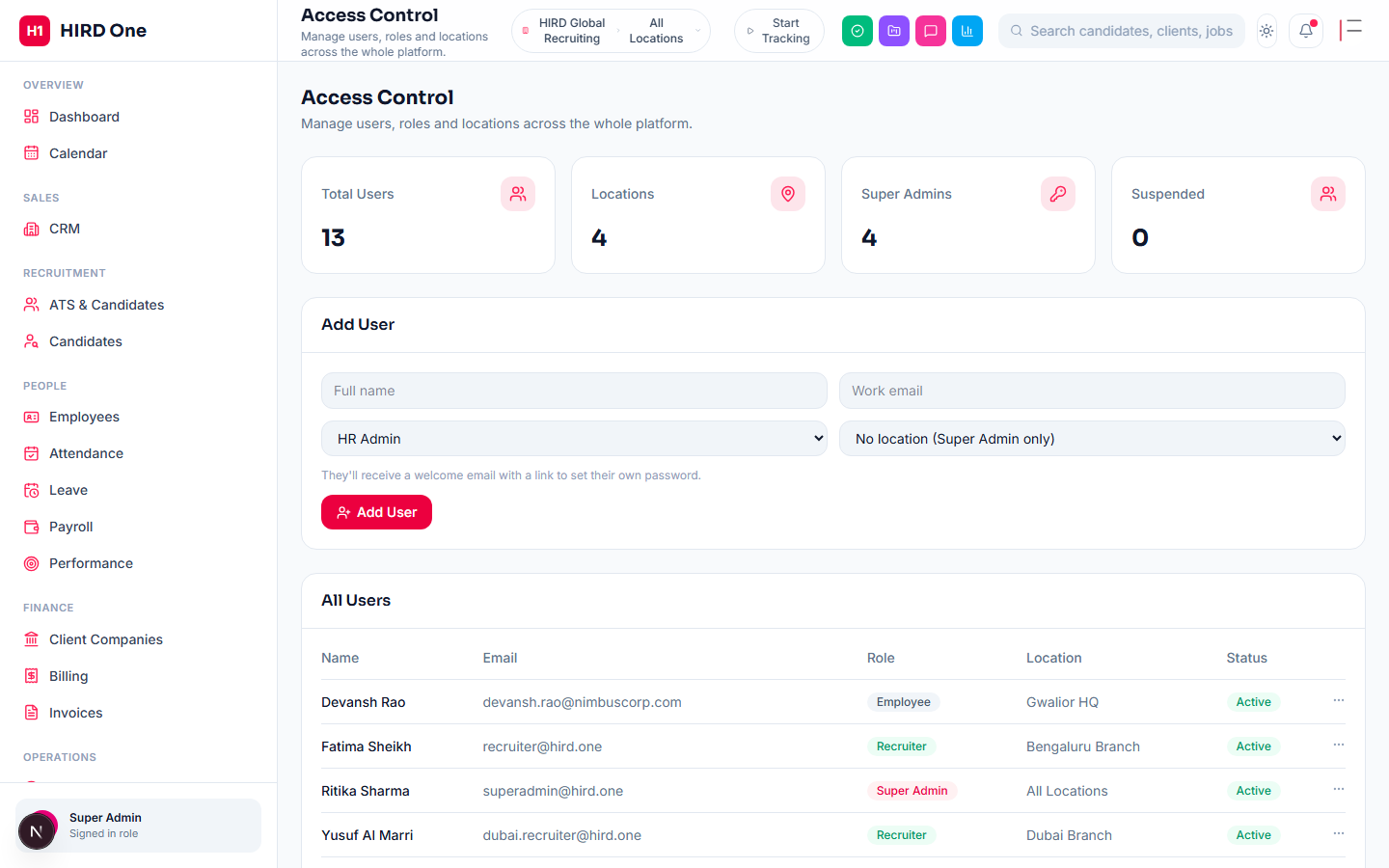
Users, roles and locations for the whole organization. Roles are per-organization — six system roles are seeded automatically, and custom roles can be created with any combination of the platform's permission grants. Includes safeguards against deactivating yourself or the last remaining Super Admin.
- • Custom roles with granular permissions
- • Deactivate or soft-delete a user (history is preserved)
- • Country/branch/location management
System
Security Dashboard
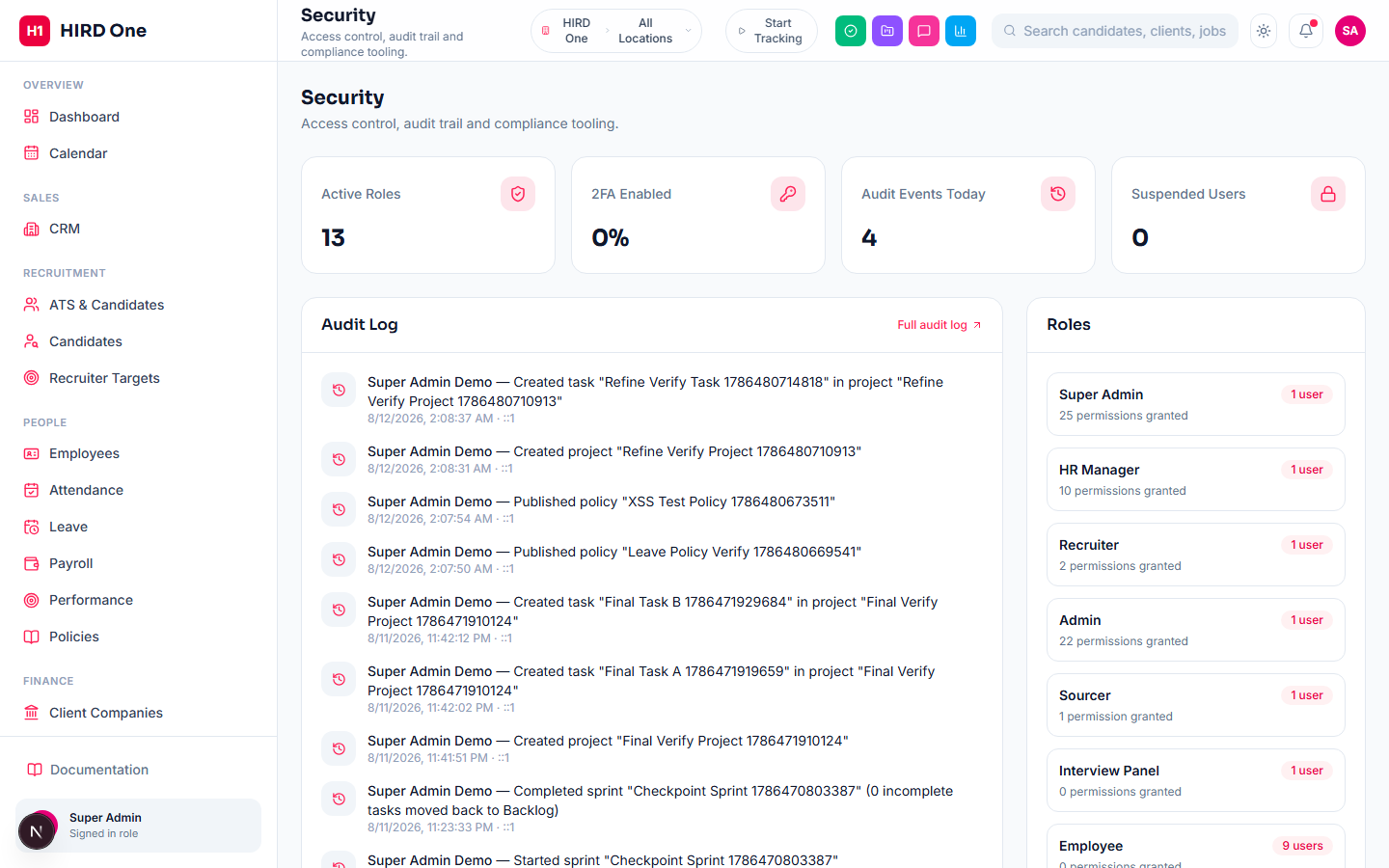
A KPI snapshot for whoever manages access: how many roles are active, what percent of active users have two-factor authentication on, how many audit events fired today, and how many users are currently suspended — plus a live feed of the most recent audit entries and every role's permission count and current headcount.
- • 2FA adoption %, audit volume & suspended-user counts at a glance
- • Recent audit feed inline, full log one click away
- • Every role's permission count and headcount
System
Audit Log
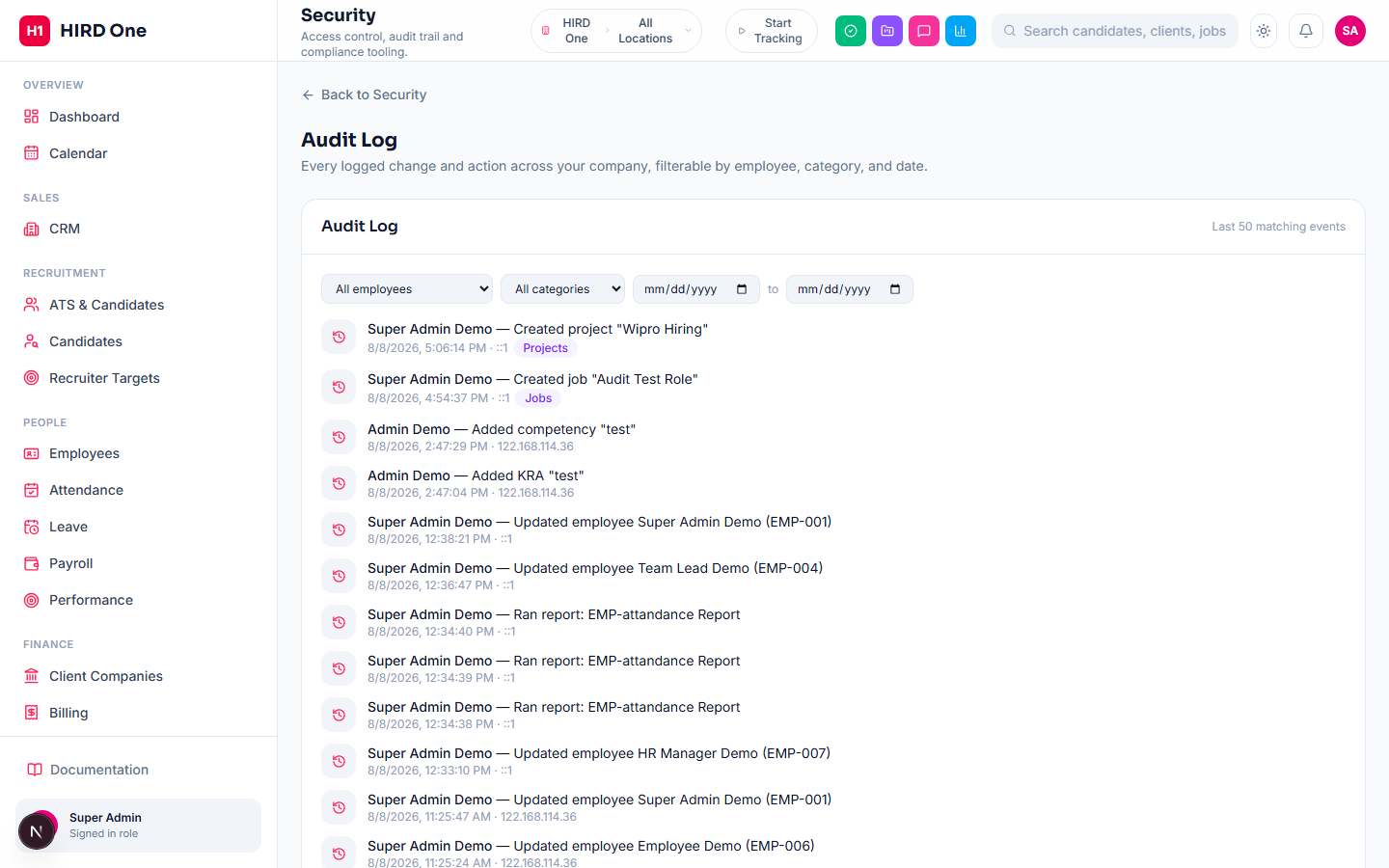
A full log of changes and actions across the app — who did what, when, from where — filterable by employee, category (Candidates, Jobs, CRM, Leave, Projects, Access Control, Platform, and more) and date range. Restricted to Super Admin, scoped to their own company. The platform owner sees the same log across every company, with an added company filter.
- • Filter by employee, category and date
- • Company-scoped for org Super Admin
- • Cross-company for the platform owner
System
Profile & Account Security
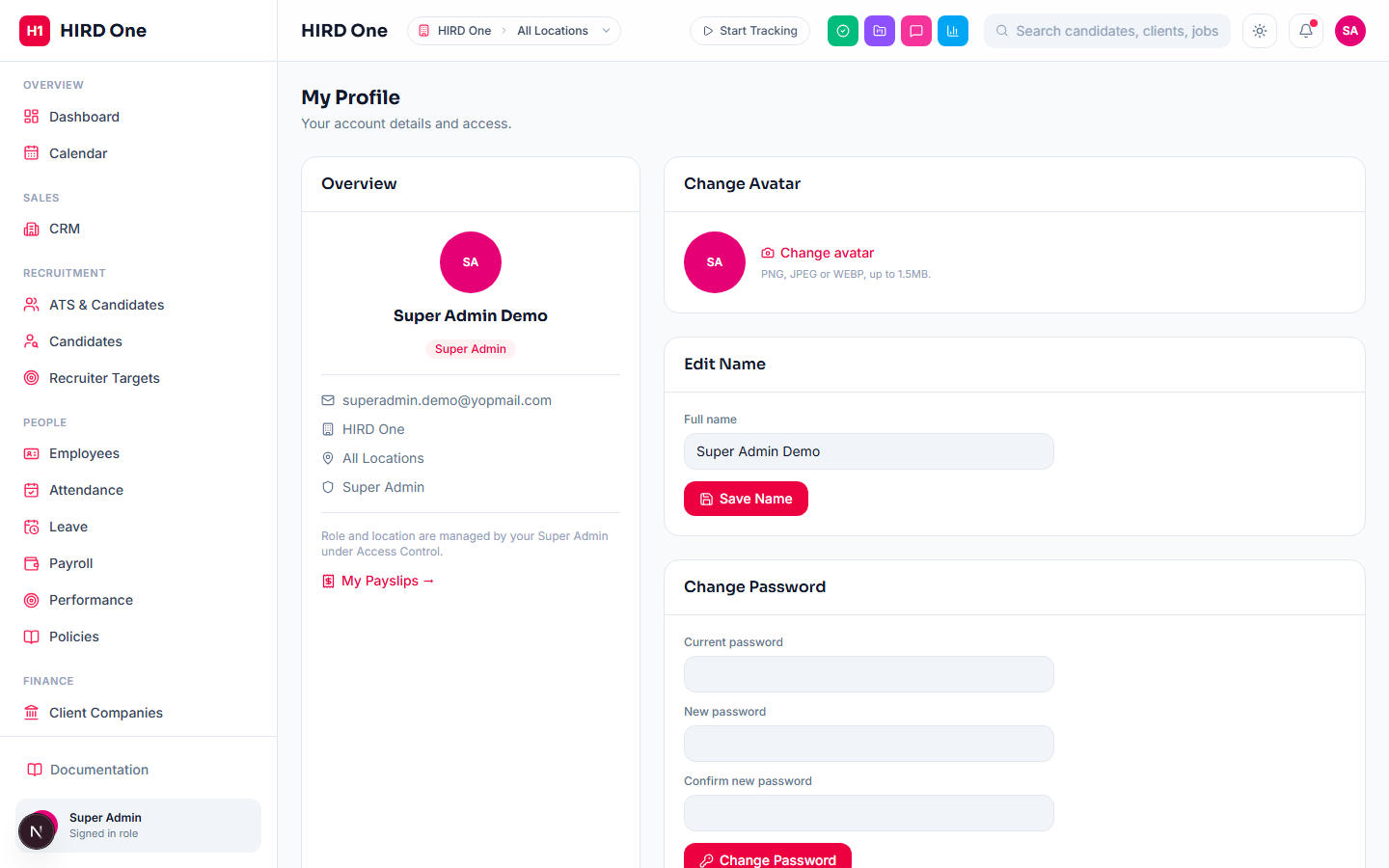
Every user's own account settings: name, avatar, a three-field password change (current, new, confirm), notification preferences (in-app alerts are live today; email notifications are a saved preference waiting on that delivery channel being connected), and two-factor authentication — standard TOTP setup, scan a QR code or enter the secret manually into any authenticator app, enabled or disabled independently by each user. These self-service actions are deliberately locked while a platform owner is accessing your account via "Access as Company" (below), so an impersonated session can never edit the platform owner's own real credentials by mistake.
- • TOTP-based two-factor authentication (QR code + manual secret)
- • In-app notification toggle, live today
- • Three-field password change
- • Locked during platform-owner impersonation
System
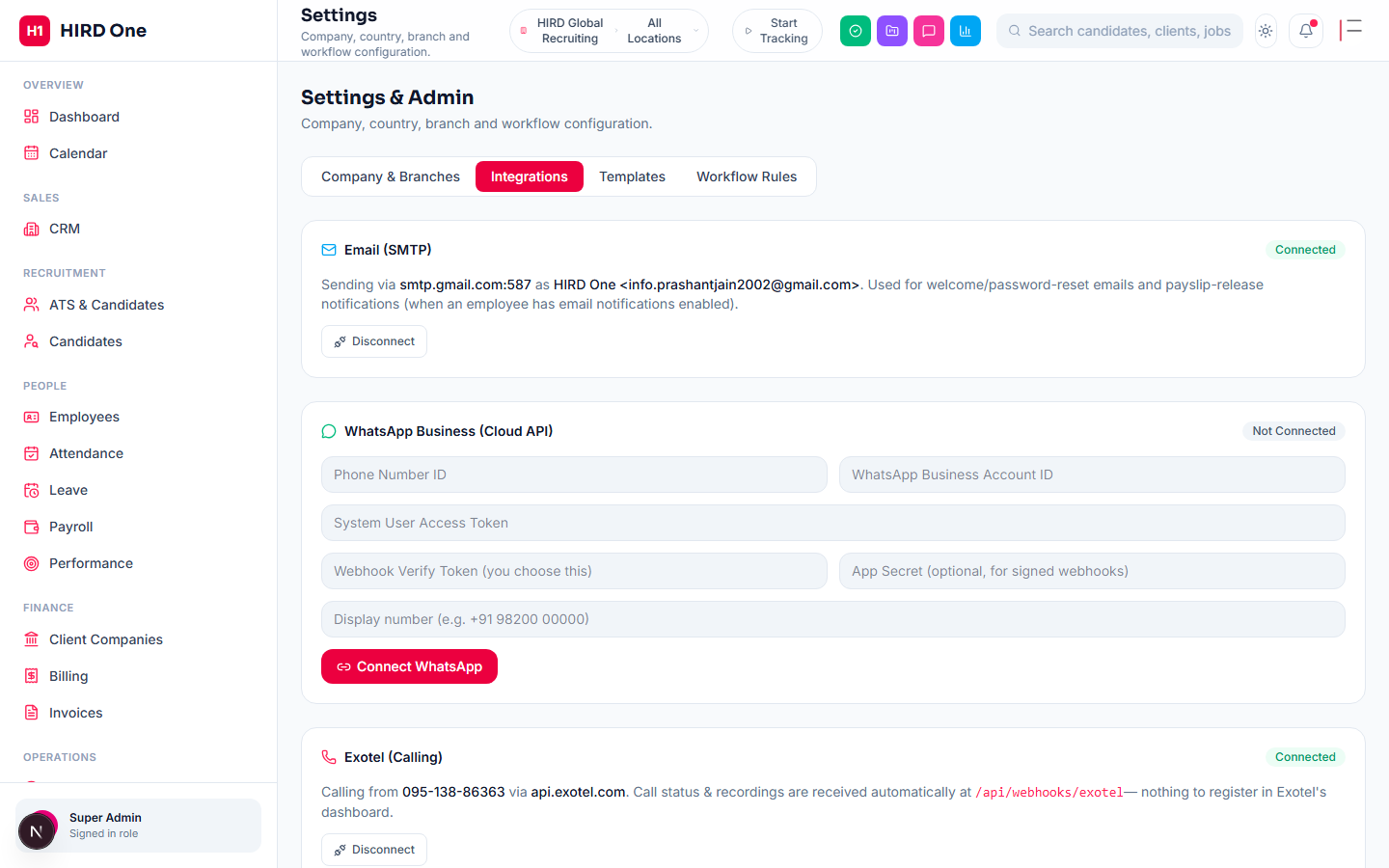
Settings & Integrations
Company profile, branches, workflow rules, templates, and every third-party connection: email (SMTP), AI (Anthropic), WhatsApp, Exotel Voice, Twilio, ExoVerify, eTimeOffice biometric attendance, and Razorpay (for the Client Portal's own payment collection from your clients — a separate account from HIRD One's own subscription billing below). Every connect form validates the credentials against the real provider before saving. If an organization hasn't connected its own email or AI, the platform-wide default (set once by the platform owner) is used automatically.
- • Per-org SMTP, AI, WhatsApp, Exotel/Twilio, ExoVerify, eTimeOffice, Razorpay
- • Credentials verified against the real provider before saving
- • Falls back to platform-wide defaults when unset
System
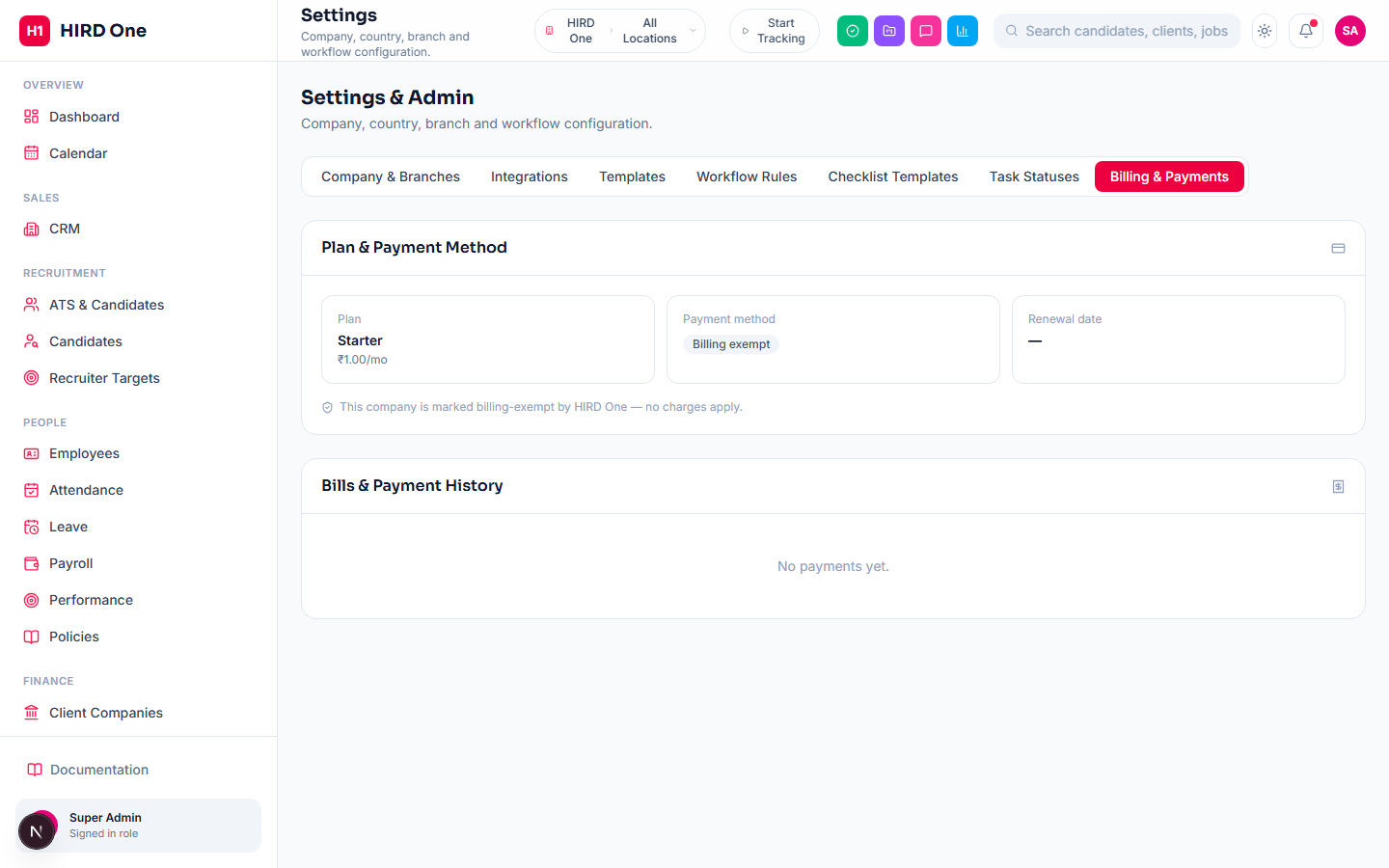
Billing & Payments (your subscription)
For your own company's Super Admin: your current plan and price, payment-method status, and a full history of what HIRD One has actually charged your company — date, amount, card, status, and a receipt link wherever Razorpay provides one. Setting up the autopay mandate happens right inside the app through an embedded Razorpay widget, without ever leaving HIRD One — you're never charged the day it's set up, only once your 30-day trial ends, and "Update Payment Method" always safely replaces an existing mandate rather than ever leaving two active at once.
- • Full payment history with receipts, right in Settings
- • Embedded Razorpay checkout — never leaves the app
- • No charge the day a payment method is set up
- • Safely replace a payment method any time
External portals
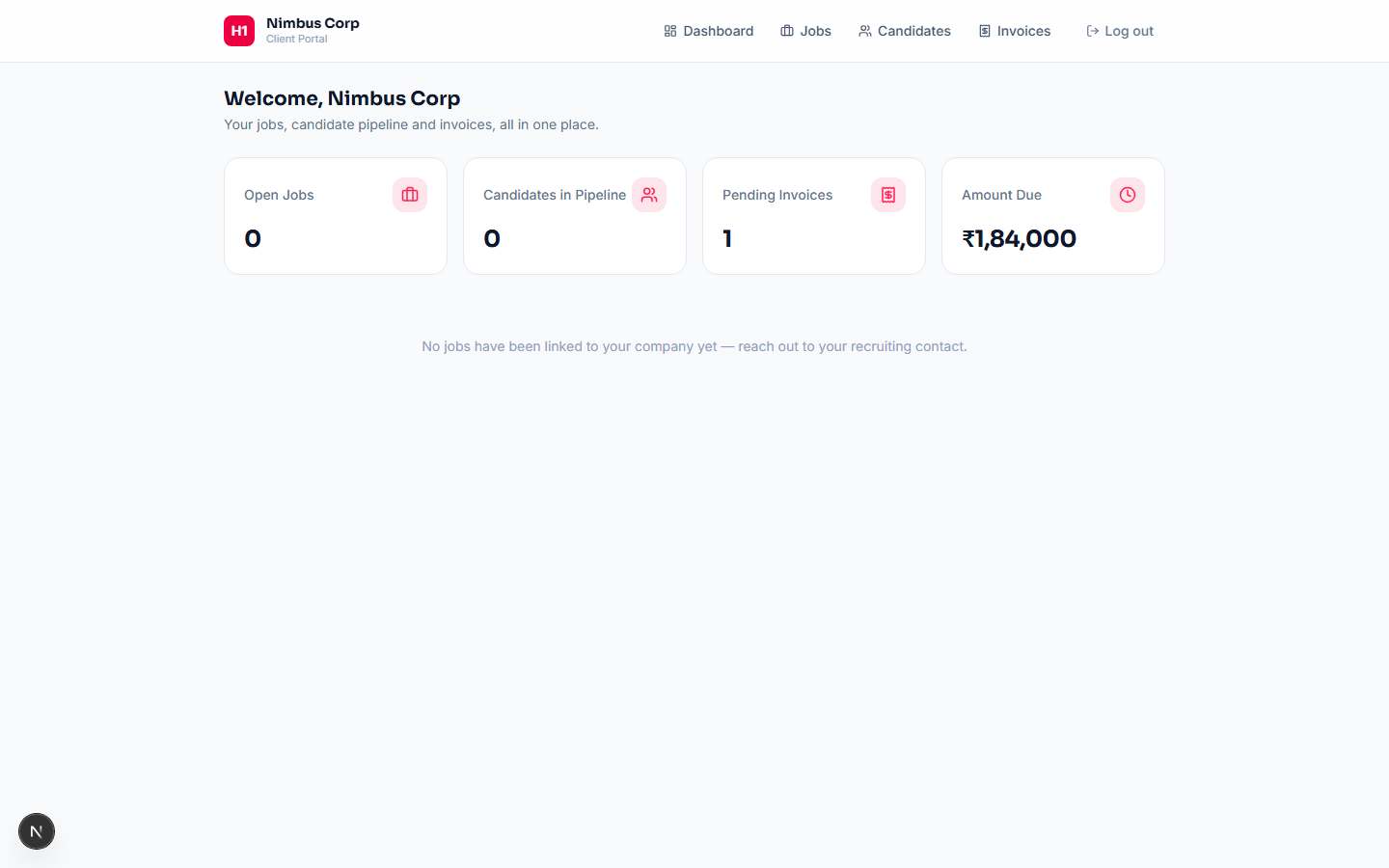
Client Portal
A separate login for a client company's own contact — not an internal user account. They see their own jobs, candidate pipeline (name and stage only, no sensitive fields) and invoices — and can post a new job or move a candidate's stage themselves, which emails their assigned relationship manager for follow-up. Invoices can be paid directly online via Razorpay (the org's own payment account), or marked as paid another way with a request for internal review. Invited from the internal Client Companies page.
- • Post jobs and update candidate stage directly
- • Every client action emails the relationship manager
- • Pay invoices online via Razorpay
External portals
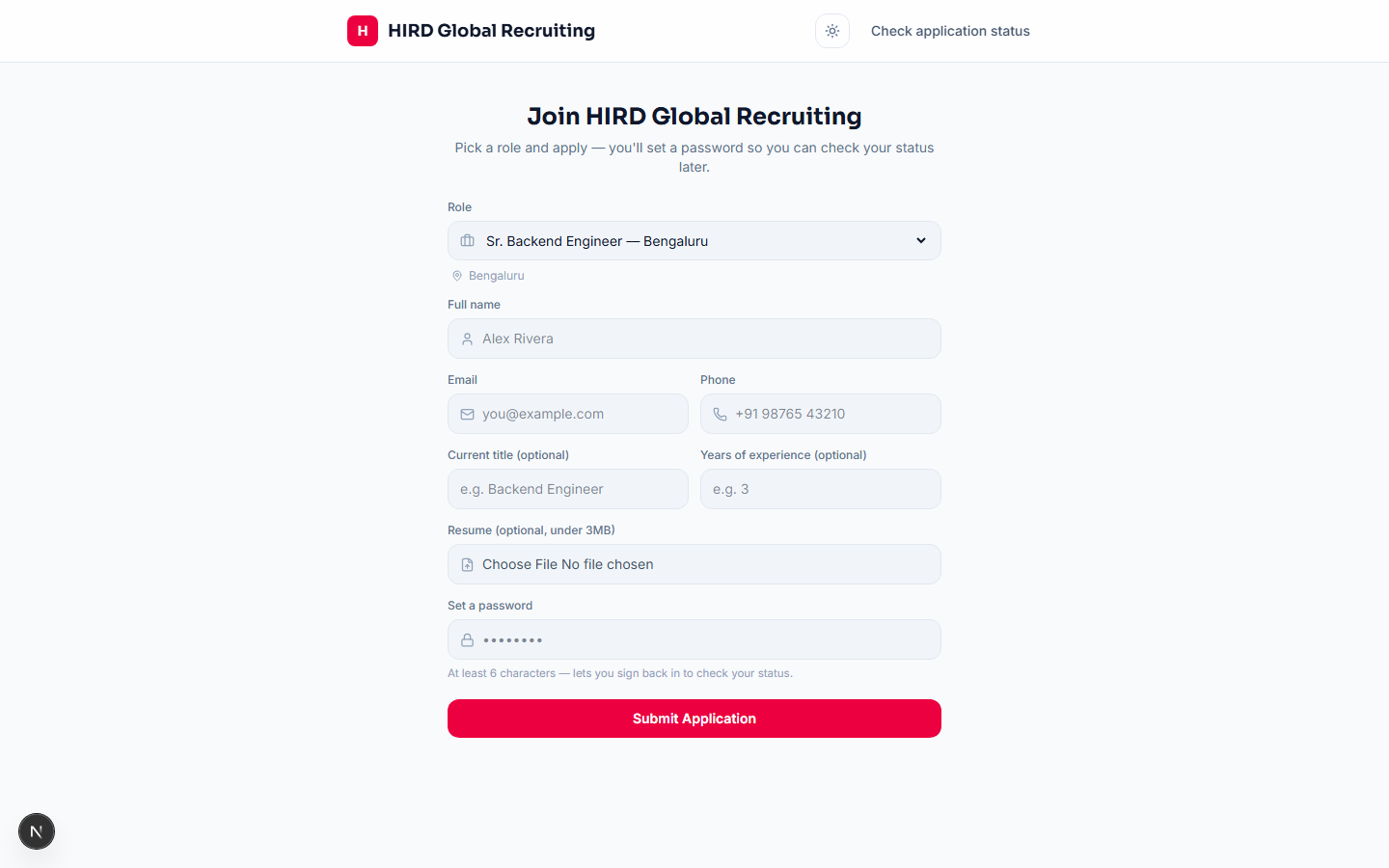
Candidate self-application
Anyone can apply directly at a company's public application page — no internal account needed. They pick an open role, submit their details and resume, and set a password so they can sign back in later to check their application status. Every self-application lands in the normal internal ATS pipeline, visible to recruiters exactly like a manually-added candidate.
- • Public application page per company
- • Automatic duplicate-application prevention
- • Sign back in anytime to check status
Platform administration
Platform Overview (HIRD staff only)
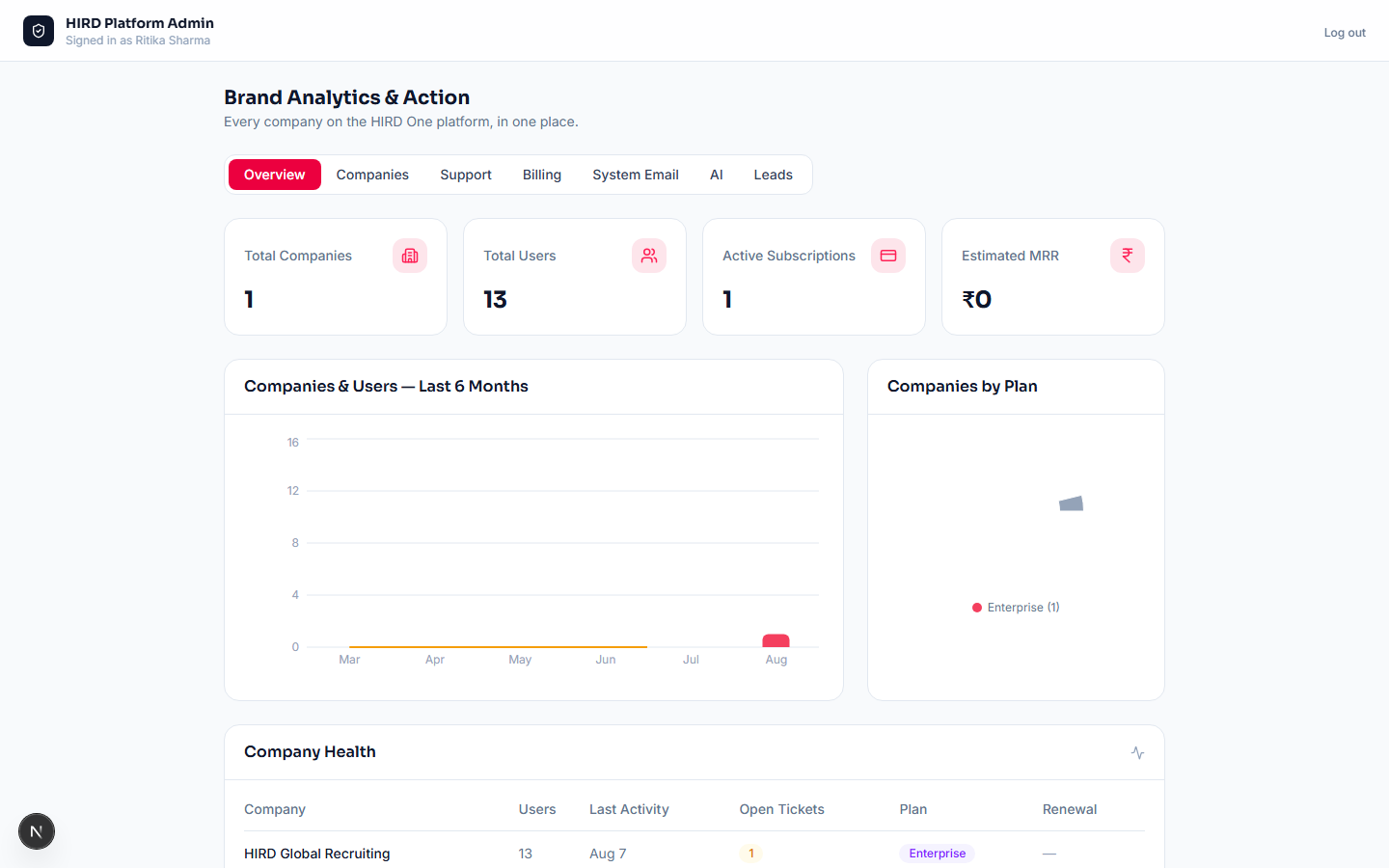
Visible only to HIRD's own platform-owner accounts, never regular company Super Admins. Every company on the platform in one place — plan, billing status, users, a per-company notes/support log, and a Danger Zone to close an account (locks every user out immediately; data is kept, and only HIRD support can reopen it). "Contact Sales" requests from the Enterprise signup step land here as Leads, alongside the platform-wide defaults (System Email, AI, Razorpay billing) that every company falls back to when it hasn't connected its own.
- • Cross-company overview, filterable and searchable
- • Per-company notes & support log, and account close/reopen
- • Platform-wide AI / Email / Razorpay defaults
- • Enterprise "Contact Sales" leads
Platform administration
Feature & Addon Entitlements
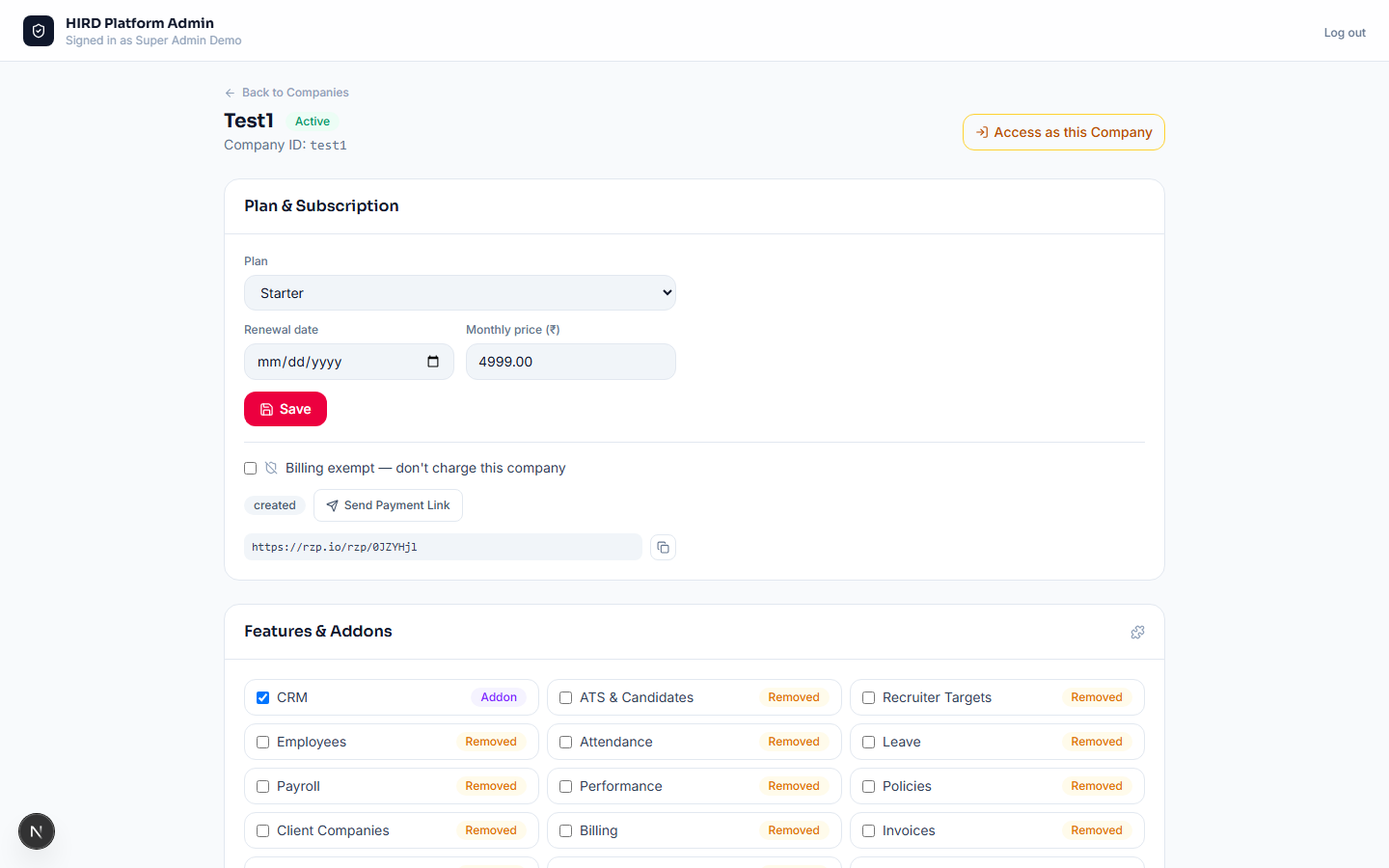
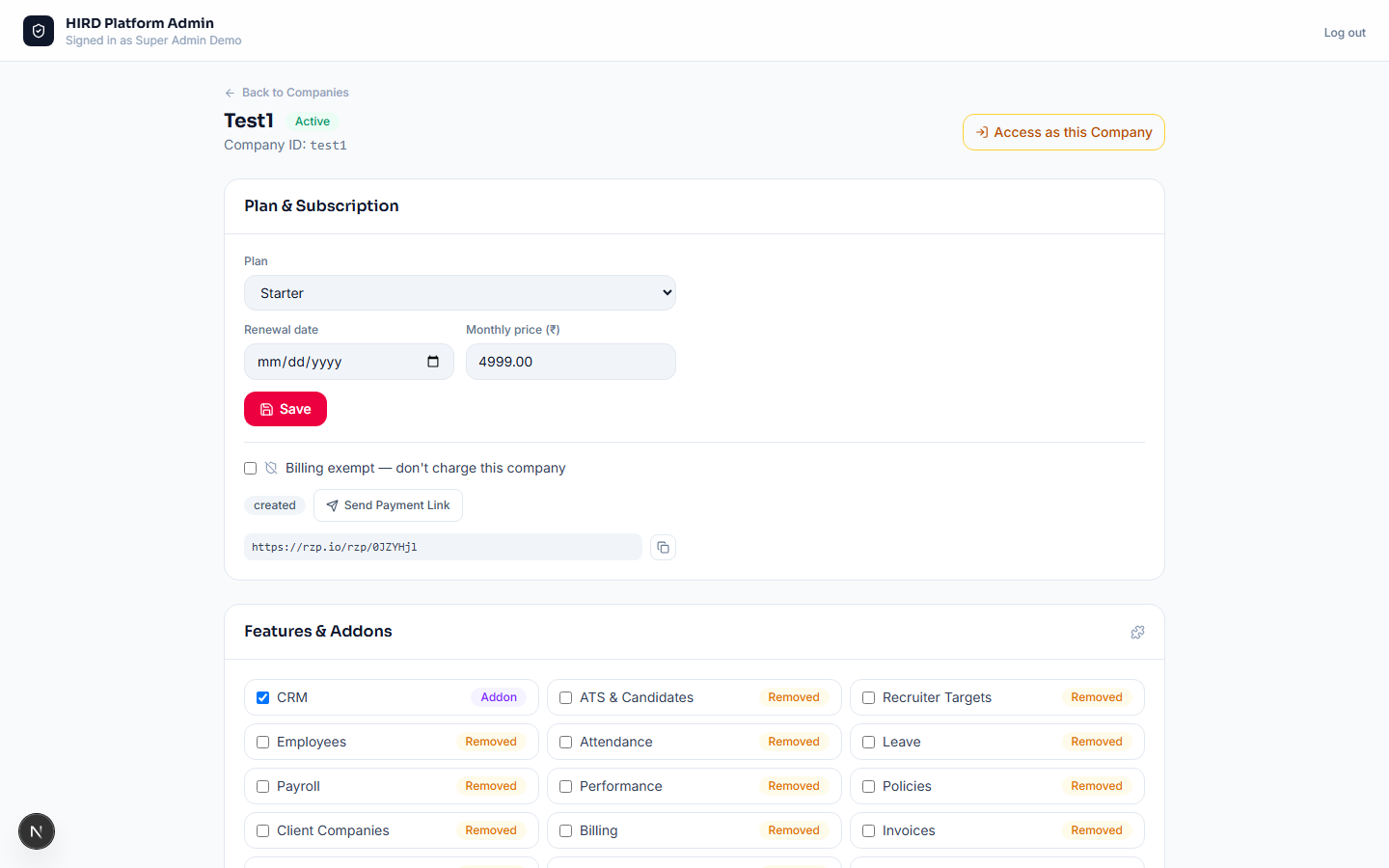
Every company's plan (Trial, Starter, Growth, Enterprise) maps to a default set of unlocked modules — the platform owner can grant any company an addon module beyond their plan, or remove one, from a simple checkbox grid on that company's page, badged Included in Plan / Addon / Removed. Enforcement isn't just a hidden sidebar link: navigating straight to a module URL the company doesn't have redirects back to the dashboard at the routing layer, for every single request.
- • Per-company checkbox grid, badged Included / Addon / Removed
- • Enforced at the route level, not just hidden navigation
- • Changing a company's plan resets it to that plan's defaults
- • The platform owner always bypasses every gate
Platform administration
Access as Company (Impersonation)
The platform owner can step directly into any active company's account for support — with a required, logged reason — and gets exactly the access that company's own Super Admin has, not a synthetic "full access" identity, so every permission check in the app behaves exactly as it would for that company's real admin. A persistent amber banner names the company being accessed and offers a one-click Exit; the session also expires itself automatically after 4 hours even if no one clicks Exit. Every start and end is written to that company's own audit log with the platform owner's real name and the reason given.
- • Requires a typed reason, logged to the company's own audit trail
- • Grants the company's real Super Admin role — never a fabricated one
- • Persistent banner with a one-click Exit
- • Self-expires after 4 hours, enforced on every single request